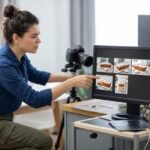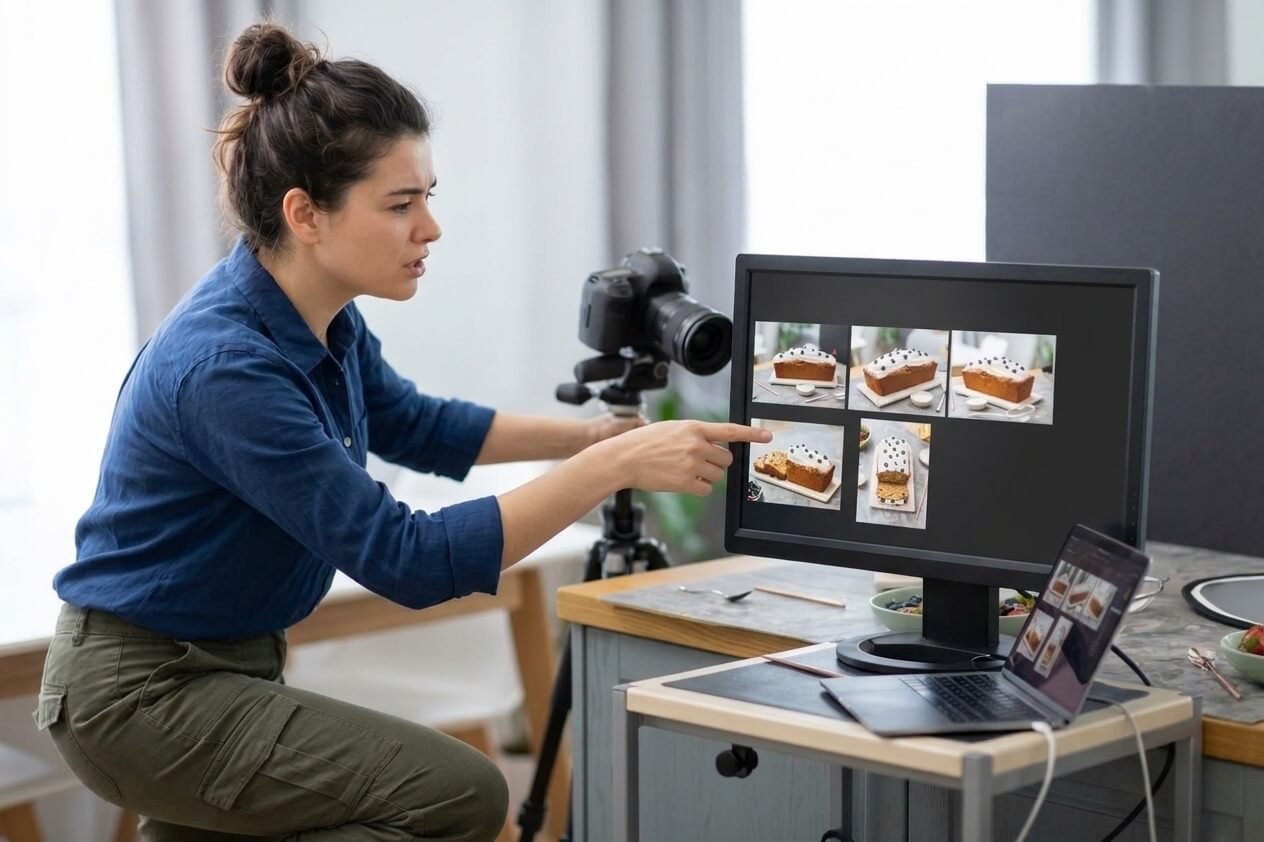
Product photography is the craft of photographing items so people can see, judge and buy them. It covers everything from a clean white-background shot on an Amazon listing to a styled lifestyle image in a magazine ad. You’ll also hear it called e-commerce photography, packshot photography or, for artistic arrangements of objects, still life photography.
Online shoppers can’t pick up, turn or touch a product. The photos do that job for them: showing scale, texture, colour and how the item is used. Clear, consistent images build trust, and blurry or badly lit ones quietly cost sales.
The good news is that product photography is one of the most learnable genres. You control the subject, the light and the background, and most products can be shot well at home on a table by a window. This guide covers the main types of product shots, the gear you need, how to set up a home studio, lighting, camera settings, styling, marketplace image rules, and how to turn it into paid work.
Types of Product Photography
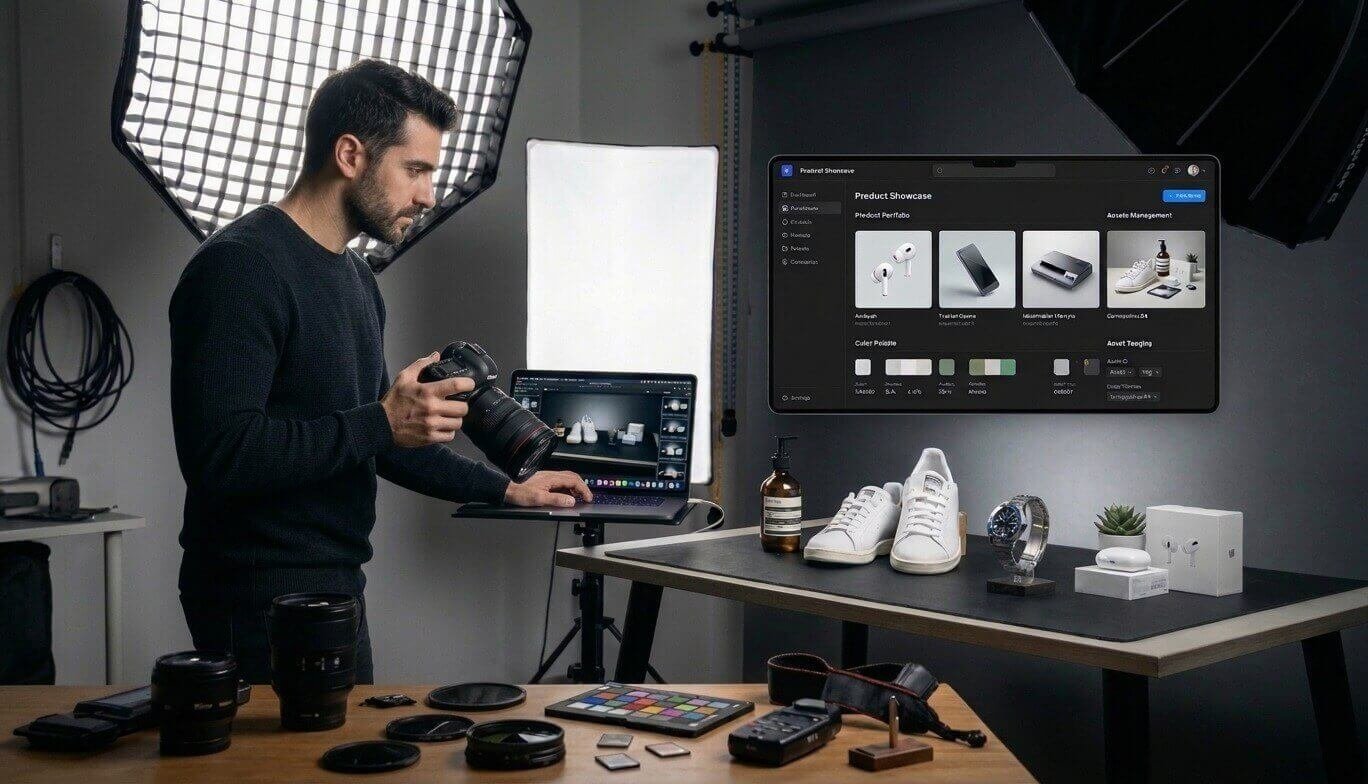
Most product listings need a mix of shots: one clean hero image to stop the scroll, then supporting images that answer buyers’ questions. These are the main types.
| Shot type | What it shows | Where it's used |
|---|---|---|
| White background (packshot) | The product alone on pure white, evenly lit | Marketplace main images, catalogues |
| Lifestyle | The product in use or in a real setting | Product pages, ads, social media |
| Flat lay | Items arranged and shot from directly above | Fashion, beauty, food, Instagram |
| Scale | The product next to a hand, person or familiar object | Helps buyers judge size |
| Detail / close-up | Texture, stitching, materials, small features | Jewellery, fabric, electronics |
| Group | Several products, variants or a set together | Collections, bundles, colour options |
| Packaging | The box, label or unboxing | Gift items, premium brands |
| 360° / spin | A sequence the viewer can rotate | High-value items, electronics |
| Ghost mannequin | Clothing shaped as if worn, with the mannequin edited out | Apparel e-commerce |
Still life vs product photography. Both photograph objects. Product photography is commercial: its job is to sell a specific item accurately. Still life is artistic: objects are arranged for mood, composition and meaning, a tradition that runs from Dutch still-life painting to modern fine art photography. The techniques overlap almost completely.
If you shoot food, many of the same principles apply; see our food photography guide.
Product Photography Equipment: What You Need
You need far less gear than you think: something to shoot with, something steady to hold it, a clean background and controllable light. Here is what to prioritise at each budget.
| Item | Starter option | Upgrade |
|---|---|---|
| Camera | A recent smartphone with a manual/pro mode | Any interchangeable-lens camera (DSLR or mirrorless) that shoots RAW |
| Lens | Phone's main camera (avoid the wide lens, which distorts) | A 50mm prime, or a 90–105mm macro for small items and jewellery |
| Support | Phone tripod with a clamp | Sturdy tripod; an arm or overhead rig for flat lays |
| Light | A large window with indirect daylight | One or two continuous LED panels or strobes with softboxes |
| Light control | White foam board as a reflector, black card to add contrast | Diffusion scrims, flags, reflectors |
| Background | White poster board or a paper sweep | Seamless paper roll on a stand, acrylic sheet for reflections |
| Shooting table | Any table pushed against a wall | Shooting table or a light tent for small products |
| Small helpers | Tape, putty, clamps, fishing line, a microfibre cloth | Product stands and acrylic risers |
A few notes on the bigger choices:
- Lenses. A longer focal length (around 85–105mm on full frame) keeps product shapes true and makes backgrounds easier to control. You don't strictly need a macro lens, but it's the best tool for rings, watches and fine textures. Our photography lenses guide and macro photography guide go deeper.
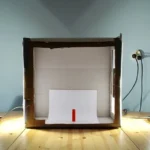
- Light tents and lightboxes. These pop-up boxes diffuse light evenly around small products and are a quick route to white-background shots. Learn when to use one in our guide to lightboxes and softboxes.
- Ring lights. Fine for small flat items and quick social content, but they produce a flat look and a circular reflection on shiny products. A softbox is more versatile.
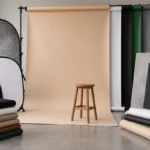
- Backgrounds. See our photography backdrops guide for materials and how to get a clean sweep.
How to Set Up a Product Photography Studio at Home
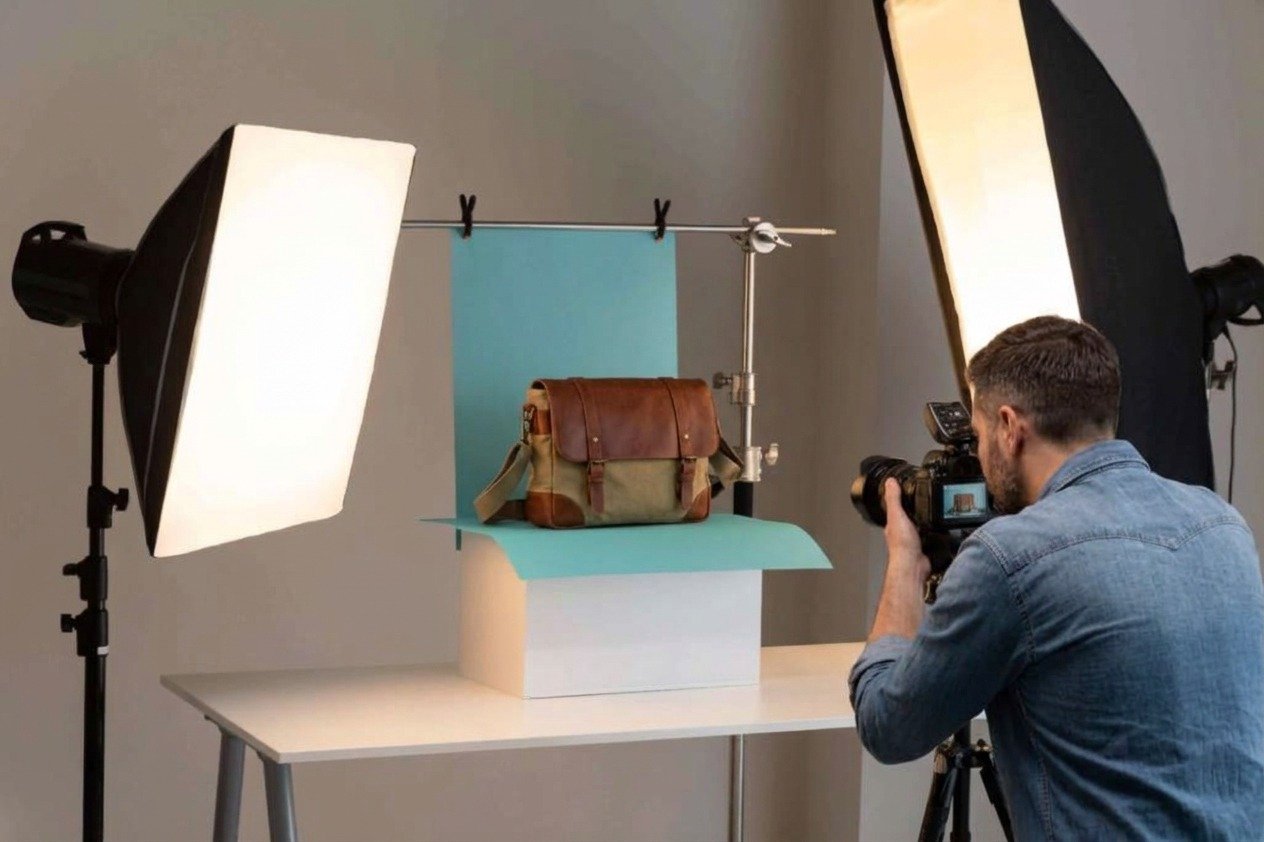
A table, a window and a white sweep are enough for professional-looking results. Follow these steps for a basic white-background setup.
- Pick your space. Choose a room with one large window and turn off overhead lights so you aren’t mixing colour temperatures.
- Position the table. Place it beside the window so daylight comes from the side, not from behind the camera. Side light shows shape and texture.
- Build a sweep. Tape a sheet of white paper or poster board to the wall and let it curve down onto the table with no crease. The seamless curve hides the horizon line behind the product.
- Diffuse the window. On sunny days, hang a white sheet, shower curtain or diffusion panel over the window to soften hard shadows.
- Add a reflector. Stand a white foam board on the opposite side of the product to bounce light back and fill the shadows.
- Mount the camera on a tripod. Keep the height and angle locked so every product in a set is shot identically.
- Place the product and test. Take a frame, check the edges for stray objects and the background for grey patches, then adjust.
- Shoot a reference set. Once it looks right, photograph every product from the same angles. Consistency across a catalogue matters as much as any single image.
When you outgrow daylight, swap the window for one or two softboxes and you can shoot at any hour with identical results. For a dedicated space, see how to set up a photography studio.
Getting a pure white background. Light the background separately from the product, slightly brighter than the subject, so it records as pure white without blowing out the product’s edges. Leave a gap between product and backdrop so the background light doesn’t spill onto the subject. Any remaining grey can be cleaned up in editing.
Product Photography Lighting
The best product lighting is large, soft and placed to the side; the size of the light relative to the product decides how soft the shadows are. Start simple and add lights only when you can say what each one is for.
One-light setup. A single softbox (or diffused window) at 45° to one side, slightly above the product, with a white reflector on the opposite side. This covers most matte products and is the setup to master first.
Two-light setup. A key light on one side and a second, weaker fill light on the other, or one light on the product and one on the background for a clean white. This gives you more control over contrast and background brightness.
Three-light setup. Key, fill and a rim or back light to separate the product’s edges from the background. Useful for dark products on dark backgrounds.
Choosing a softbox size. Bigger is softer. For small products, a 60–90cm softbox placed close to the item gives wraparound light; for larger items, go bigger or move the light back and use a diffusion scrim. Our guide to light modifiers explains how each shape changes the light.
Continuous light or flash? Continuous LEDs show exactly what you’ll get, which is ideal while learning. Strobes are more powerful and freeze any movement, which helps with splashes and falling objects. See our flash photography guide if you go that route.
Tricky surfaces:
- Shiny and reflective items (jewellery, metal, glossy packaging). These reflect their surroundings, so you're really lighting what the product sees. Use large diffused sources, surround the item with white cards, and use black cards to add defining dark lines along edges. A light tent works well for small jewellery.
- Glass and transparent items. Light from behind through a diffused background so the edges of the glass show as clean dark or bright outlines. Keep lights out of the front of the frame to avoid hot spots.
- Dark products. Use a bright rim light and strategic reflections to reveal shape; avoid flat front light that turns the item into a silhouette.
For a deeper look at how light behaves, read understanding light in photography.
Camera Settings for Product Photography
| Setting | Starting point | Why |
|---|---|---|
| Mode | Manual (or aperture priority) | Keeps exposure identical across a product set |
| ISO | Base ISO (100–200) | Cleanest, most detailed files; see our ISO guide |
| Aperture | f/8–f/11 | Enough depth of field to keep the whole product sharp |
| Shutter speed | Whatever exposes correctly | The tripod handles stability; with flash, stay at or below sync speed |
| White balance | Custom/Kelvin set with a grey card | Accurate product colour, which reduces returns |
| Focus | Single-point AF or manual focus on the front of the product | Puts the sharpest point where buyers look |
| File format | RAW | Room to correct colour and exposure in editing |
| Drive | 2-second timer or remote release | Removes shake from pressing the button |
On a tripod with controlled light, use your camera’s lowest ISO, an aperture of about f/8–f/11, and let the shutter speed be whatever gives a correct exposure. Speed rarely matters when nothing is moving.
Need more depth of field? Very small items shot close up can still blur at f/11. Stopping down further to f/16 or f/22 softens the whole image through diffraction, so for jewellery and tiny products consider focus stacking: shoot several frames focused at different depths and blend them in software.
For a refresher on how aperture, shutter speed and ISO interact, see what is exposure in photography.
Composition and Styling Tips
Good product composition makes the item the obvious subject and answers a buyer’s next question before they ask it.
- Fill the frame. The product should dominate. Marketplaces even set a minimum (Amazon asks for about 85% of the main image).
- Shoot at the product's eye level. Most items look best photographed straight on or from slightly above; a low angle makes products feel bigger and more heroic.
- Cover every angle. Front, back, side, top and a close-up of the key feature. If buyers can't see it, they assume the worst.
- Show scale. Include a hand, a person or a familiar object in at least one supporting image.
- Keep props secondary. Props should suggest how and where the product is used, never compete with it. Match their colours and textures to the brand.
- Use negative space deliberately. Leave room around the product in images meant for banners or ads so text can be added later.
- Clean everything. Dust, fingerprints and lint show up brutally at high resolution. Wear cotton gloves for shiny items and keep a blower and microfibre cloth to hand.
- Prep soft goods. Steam clothing, stuff bags with tissue so they hold shape, and use pins or clips behind the item to tidy the fit.
- Be consistent. Same angle, lighting, background and crop across a collection make a store look professional.
Flat lay tips. Shoot from directly overhead with the camera parallel to the surface. Arrange items on a loose grid or in odd-numbered groups, leave even spacing, and add one or two textural props (linen, wood, greenery) for depth.
Editing and Marketplace Image Requirements
Editing product photos is about accuracy, not style: true colour, a clean background, consistent crops and spotless surfaces.
A basic editing workflow:
- Correct white balance using the grey card frame.
- Set exposure and contrast so the background is white without clipping the product.
- Remove dust, scratches and fingerprints.
- Clean up or replace the background, and straighten the product.
- Crop to the platform’s ratio with consistent margins.
- Export in sRGB at the required size.
Lightroom handles batch colour and exposure across a whole set; Photoshop is better for detailed retouching and background clean-up.
Platform requirements at a glance:
| Platform | Requirements |
|---|---|
| Amazon (main image) | Pure white background (RGB 255,255,255); product fills about 85% of the frame; at least 1,000px on the longest side for zoom, 1,600–2,000px recommended; no text, logos, watermarks or props not included in the sale (Be Bold Digital summary) |
| Etsy | At least 2,000px wide and high recommended; first photo at least 635px; first photo landscape or square, with later photos matching its shape (Etsy Help) |
| Shopify | Uploads up to 5,000 × 5,000px recommended, with a hard cap of 20 megapixels or 20MB per image (Shopify Help); use one consistent aspect ratio across products |
Platforms update these rules, so check each seller centre before a big shoot.
Product Photography as a Business
Product photography is one of the most dependable paid niches: every online store needs images, and catalogues need refreshing every season. Shopify’s 2026 pricing guide puts typical rates at about $50–$350 per image or $500–$3,000 per day, with large brand campaigns running far higher (Shopify).
Common pricing models:
| Model | Works best for | Watch out for |
|---|---|---|
| Per image | White-background catalogue work, repeat clients | Scope creep from extra angles and variants |
| Per product | Listings that need a fixed set of angles per item | Products that vary wildly in size or difficulty |
| Hourly / day rate | Lifestyle shoots, styling-heavy or on-location work | Clients underestimating how long styling takes |
| Project fee | Full launches with set design, models, props | Pin down deliverables and revisions in writing |
Add separate line items for props, styling, models, retouching beyond basic clean-up, rush delivery and usage rights for advertising. For a full method to set your rates, read our photography pricing guide.
Finding clients.
- Build a portfolio of 15–20 strong images across product types, even if you buy the products yourself to start.
- Approach small brands on Etsy, Shopify and Instagram whose current photos you can visibly improve; show them a before-and-after.
- Partner with web designers, branding agencies and marketing consultants who need photos for client stores.
- Specialise. "Jewellery photographer" or "skincare product photographer" is easier to market than "product photographer".
Our guides to making money with photography and marketing your photography business cover the wider business side.
Frequently Asked Questions
What is product photography?
Photography that shows products clearly and accurately so people can evaluate and buy them, used on e-commerce listings, catalogues, ads and packaging.
Can I do product photography with a phone?
Yes. A recent smartphone, a tripod, window light and a white sweep can produce listing-quality images. A dedicated camera mainly adds lens choice, RAW flexibility and better results with small, detailed items.
What is the best lens for product photography?
A 50mm prime works for most medium-sized products. A 90–105mm macro lens is the best all-rounder for small items, jewellery and texture detail.
What lighting is best for product photography?
A large, soft light source to one side, such as a softbox or a diffused window, with a reflector on the other side.
Is a ring light good for product photography?
It’s fine for small flat items and quick social content, but it creates flat light and a ring-shaped reflection on shiny products. A softbox gives more shape.
How do I get a pure white background?
Light the background separately and slightly brighter than the product, keep space between them, and finish the clean-up in editing.
What is a packshot?
A clean, evenly lit image of a product, usually on a white background, showing exactly what the buyer receives.
What is the difference between flat lay and still life photography?
A flat lay is shot from directly overhead with items arranged on a surface. Still life is a broader, often artistic genre of arranged objects shot from any angle.
Is product photography in demand?
Yes. Every online store, marketplace seller and brand needs product images, and catalogues need refreshing with each new range.
Final Thoughts
Great product photography comes from control, not expensive gear: a steady camera, soft side light, a clean background and the discipline to shoot every item the same way. Master one product on one light, then build a consistent set, then learn the tricky surfaces. The skills transfer directly into paid work, because every online seller needs them.

Charles is a passionate photographer and visual storyteller with a keen eye for capturing authentic moments and timeless emotions. Through here, he combines creativity, technical expertise, and a love for natural storytelling to create images that preserve life’s most meaningful memories. His work focuses on genuine connections, beautiful details, and the unique stories behind every photograph.