Product photography lives or dies on the quality of its lighting. The same object photographed under harsh, uncontrolled light and under a properly diffused softbox or lightbox setup looks like two entirely different products — and in e-commerce, where customers cannot touch, smell, or examine a product directly, the photograph is the product as far as the buying decision is concerned.
Lightboxes and softboxes are the two most important tools for achieving controlled, professional-quality light for product photography. They serve overlapping but distinct purposes, suit different types of subjects and setups, and can both be built at home or purchased commercially at a range of price points. This guide covers both in full — what each does, how to choose between them, how to build your own, and how to shoot inside them effectively.
Lightbox vs Softbox: Understanding the Difference
The terms are sometimes used interchangeably, which creates confusion. They describe fundamentally different tools.
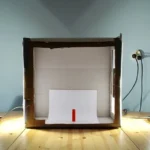
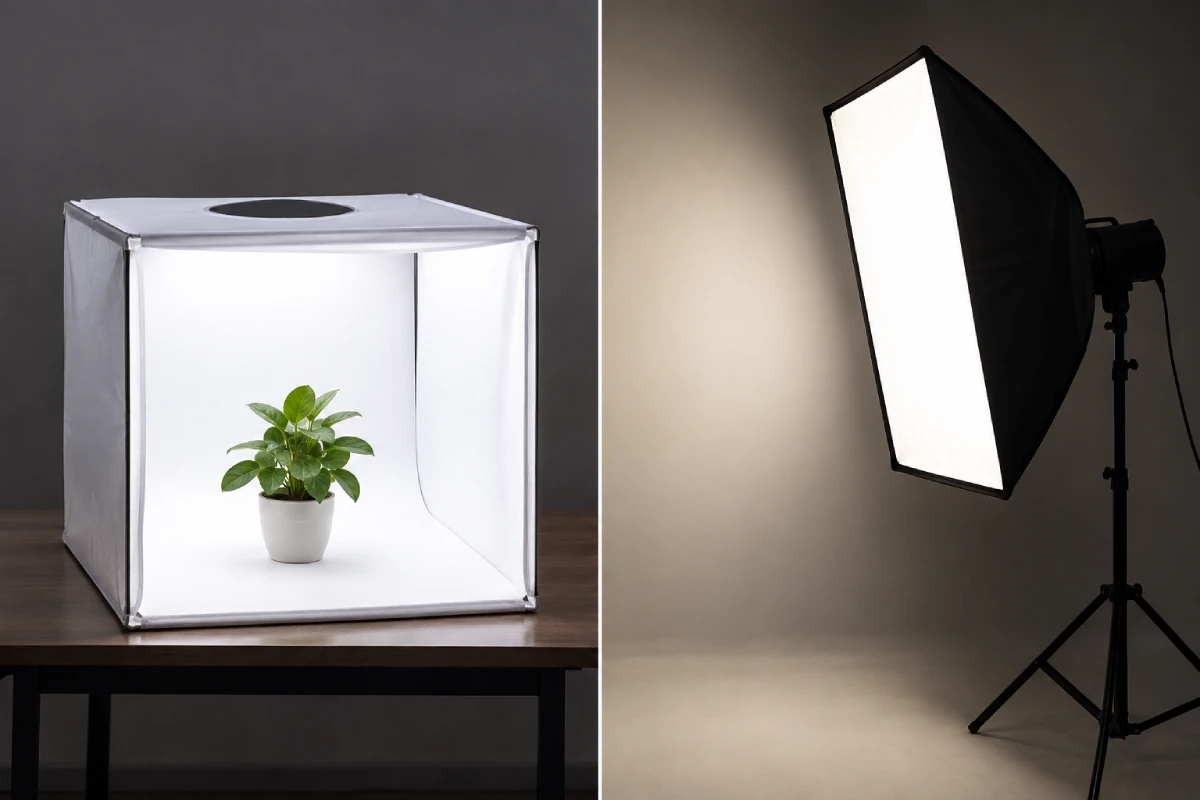
A lightbox (also called a photography box, light tent, or product box) is an enclosed or semi-enclosed structure — typically a cube or rectangular box — with translucent white panels on multiple sides. Light sources are positioned outside the box, shining inward through the translucent panels, which diffuse the light before it reaches the subject inside. The result is even, shadow-reduced, multi-directional illumination from multiple sides simultaneously. The enclosed environment also controls reflections and keeps external ambient light from affecting the shot.
A softbox is a light modifier that attaches directly to a single light source — a studio strobe or speedlight — and transforms it from a small, harsh point source into a larger, softer source. It consists of a reflective fabric interior (silver or white) that spreads the light, with a diffusion panel across the front face. Unlike a lightbox, a softbox is directional — it produces soft light from one specific direction, creating the gentle shadows that add shape and dimension to a subject.
The practical distinction: a lightbox creates almost shadowless, even illumination from multiple sides — ideal for clean e-commerce product shots against white or neutral backgrounds. A softbox creates soft but directional light from a single position — ideal for portraits, lifestyle product shots, food photography, and any context where you want dimension and depth rather than flat, shadow-free illumination.
Most photographers who shoot products seriously use both — a lightbox for simple catalogue-style e-commerce shots, and one or more softboxes for lifestyle and editorial product photography.
Lightboxes: Complete Guide
What a Lightbox Is Best For
Lightboxes excel at a specific type of product photography: clean, isolated, catalogue-style images against a white or neutral background. The multi-directional diffused light eliminates most shadows (including the dropped shadow under the product that often looks distracting in direct or single-source lighting), reduces reflections on shiny surfaces, and produces an even tonal quality across the subject.
This makes lightboxes ideal for:
- E-commerce product photography — online retail images where the background must be pure white (Amazon's requirements, for example, mandate pure white backgrounds for main product images)
- Jewellery photography — highly reflective, complex surfaces that create difficult reflections under directional light
- Small product photography — electronics, cosmetics, accessories, packaged goods
- Catalogue and inventory photography — where consistency across hundreds of shots matters more than creative lighting
- Food photography backgrounds — some lightbox setups are used as background elements for food photography rather than enclosing the food itself
Lightboxes are less suitable for large products, lifestyle product shots where environmental context matters, or any situation where you deliberately want directional light to show texture, depth, or dimension in the product.
Commercial Lightboxes: What to Look For
Commercial lightboxes range from inexpensive collapsible fabric tents (available from $20–$80) to more substantial permanent constructions ($150–$400+). The key considerations:
Size: Match the lightbox size to your typical subjects. A 20×20 inch cube works for most small products — phones, cosmetics, jewellery, small electronics. For larger products (shoes, handbags, bottles, small appliances), a 24×24 or 32×32 inch box is more appropriate. Shooting a subject that nearly fills the box creates uneven lighting and visible hot spots on the panels.
Panel material: The translucent panels should diffuse light evenly without visible texture or colour cast. Better-quality lightboxes use ripstop nylon or similar materials that diffuse cleanly; cheaper ones can show texture that creates uneven illumination.
Background options: Most commercial lightboxes include several coloured background sweeps — white, black, grey, and sometimes additional colours — that slot or clip into the interior. White is the most commonly used; black creates a high-drama dark background for jewellery and premium products; grey provides a neutral, softer alternative to white.
Included lights: Entry-level lightbox kits typically include basic LED light panels or fluorescent lamps. These are functional as starting points but the included lights are often lower quality than separate purchased lights. Consider the included lights as a starting point rather than a permanent fixture.
Recommended commercial options: PULUZ collapsible lightbox tents, Fovitec studio lightboxes, and Neewer photography light boxes offer good quality at accessible price points. For professional e-commerce work, a more substantial permanently assembled construction (often custom-built) produces better results than collapsible tents.
How to Build a DIY Lightbox
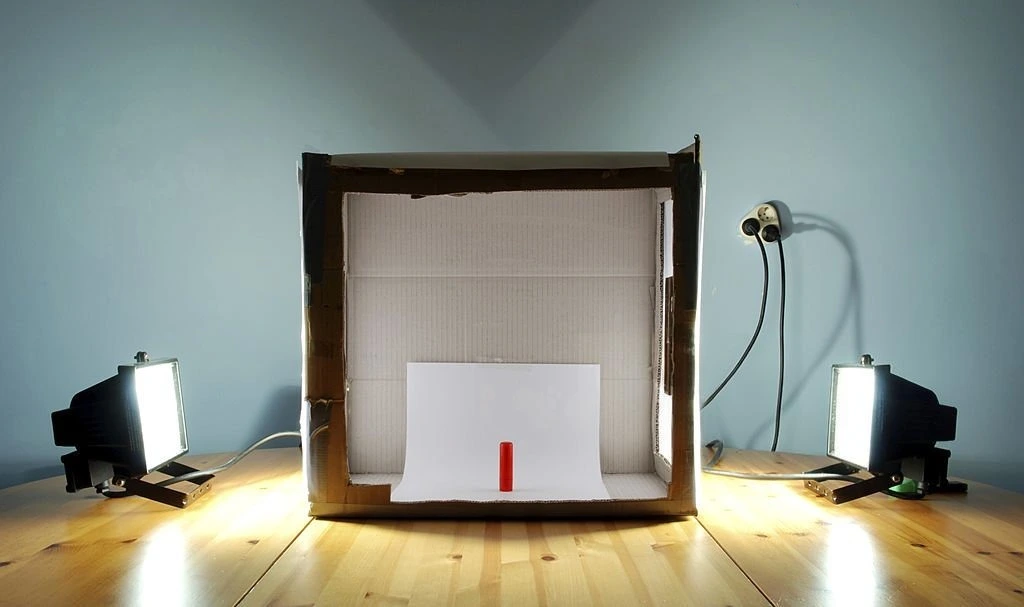
Building a lightbox at home costs very little and produces results comparable to commercial options for most small product photography purposes. Here is the complete construction guide:
Materials needed:
- One cardboard box (size depends on your subjects — a 16–24 inch box works for most small products)
- White poster board or foam core board (for the interior background sweep)
- White tissue paper or tracing paper (for diffusion panels)
- Packing tape
- Craft knife or scissors
- Two or three LED desk lamps or LED light panels
- Optional: small binder clips to hold background sweeps in place
Construction steps:
Step 1 — Cut the light panels. On each of the three sides of the box (left, right, and top), cut a large rectangular opening, leaving a border of approximately 3–4 inches on all edges of each side. The front of the box (where your camera will face in) and the back (which will hold the background) remain solid.
Step 2 — Apply diffusion material. Cut pieces of white tissue paper or tracing paper approximately 2 inches larger than each opening. Tape them securely over each opening from the outside, stretching them taut and flat. The diffusion panels should have no wrinkles or loose areas — any texture in the diffusion material creates uneven light transmission.
Step 3 — Create the background sweep. Cut a piece of white poster board or foam core that is wide enough to span the interior width of the box and long enough to run from the back wall and curve down to the floor of the box — creating a seamless curve rather than a sharp corner at the back. The curved background sweep eliminates the visible horizon line between the background and the floor that creates a distracting shadow in the final image.
Step 4 — Position your lights. Set up your LED lamps to shine through the side panels (not directly into the front opening). Start with one light on each side. Position them at approximately 45 degrees to the panels, 6–12 inches from the diffusion surface. The further the lights are from the panel, the more even but dimmer the illumination.
Step 5 — Test and refine. Place a test subject in the box and take a test shot. Evaluate for uneven illumination (usually caused by lights that are too close to one part of the panel rather than distributed evenly), colour cast (caused by lights with different colour temperatures or coloured surfaces reflecting into the box interior), and unwanted shadows. Adjust light position and add a third overhead light if needed to fill any remaining shadow areas.
Improving your DIY lightbox:
- Line the interior walls with white foam core or white paint for better reflectivity
- Use LED lights with a colour temperature of 5500K–6500K (daylight-balanced) for neutral, accurate colour rendering
- Add a third light panel on top for additional fill
- Replace tissue paper with proper diffusion fabric (available cheaply from theatrical supply stores) for more durable and even diffusion
- Create multiple background sweeps in different colours by cutting poster board to the same curved dimensions
Camera Settings Inside a Lightbox
ISO: Use your base ISO (typically 100 or 200) for the cleanest possible files. The controlled, consistent light inside a lightbox allows lower ISO than handheld available light shooting.
Aperture: f/8–f/11 for most product work — enough depth of field to keep the entire subject sharp from front to back, which is typically the goal in catalogue-style product photography. For very small products where only a specific element needs to be sharp, f/4–f/5.6 allows more selective focus.
Shutter speed: With your camera on a tripod (which it should be for product work), shutter speed is simply an exposure variable. Adjust as needed for correct exposure at your chosen aperture and ISO.
White balance: Set a custom white balance using a grey card placed inside the lightbox under your shooting lights. This eliminates any colour cast from the lights and ensures accurate product colour rendering. Even a small colour cast — slightly warm or slightly cool — changes the perceived colour of the product and can cause customer returns if the photographed colour doesn’t match the actual product.
Tripod: Essential for lightbox product photography. The controlled environment and extended shooting sessions make handheld shooting impractical and inconsistent. Use a cable release or the camera’s 2-second self-timer to eliminate vibration from pressing the shutter button.
Softboxes: Complete Guide
What a Softbox Is Best For
Softboxes produce soft, directional light — the single most versatile lighting tool for photography across all genres. Unlike a lightbox’s multi-directional, shadow-eliminating approach, a softbox creates the gentle shadows that give subjects shape, texture, and three-dimensionality.
For product photography specifically, softboxes are used for:
- Lifestyle product photography — products in context, often with props and surfaces, where natural-looking directional light suits the scene
- Food photography — the directional quality of softbox light closely mimics natural window light and produces the texture and depth that makes food look appetising
- Clothing and fabric products — directional light reveals fabric texture in a way that flat lightbox illumination cannot
- Cosmetics and beauty products — the shimmer and highlight that makes makeup and skincare products look luxurious requires directional light with some specular quality
- Furniture and large product photography — beyond the practical size limitations of any lightbox
- Portrait photography alongside products — any product shot involving a model or person
The softbox also transitions directly between product and portrait work without any setup change, making it more versatile across a photography practice than a dedicated lightbox.
Softbox Types and Sizes
Rectangular softboxes are the most common type — they produce rectangular catchlights and a light quality that closely mimics large window light. Available in a wide range of sizes from 12×16 inches to 4×6 feet.
Octagonal softboxes (octaboxes) produce circular catchlights — a round highlight reflection in eyes or shiny surfaces — that many photographers prefer for portraiture and beauty work. Particularly common in sizes from 36–60 inches in diameter.
Strip boxes are long, narrow softboxes (typically 12×48 inches or similar) used for rim lighting, hair lighting, and creating slim, directional edge highlights on both people and products.
Size selection for product photography:
| Product Size | Recommended Softbox Size |
|---|---|
| Very small products (jewellery, cosmetics) | 24×24 inches |
| Small-medium products (bottles, electronics, shoes) | 24×36 inches |
| Medium products (bags, clothing, small appliances) | 36×48 inches |
| Large products or tabletop scenes | 48×72 inches or larger |
| People with products | 36×48 inches minimum |
The general rule: the softbox should be at least as large as the subject, ideally larger. A softbox smaller than the subject produces uneven illumination with brighter areas opposite the light source and dimmer areas at the edges.
Building a DIY Softbox
Commercial softboxes are significantly more durable and optically consistent than DIY versions, but a functional softbox can be built for minimal cost as a starting point.
Simple cardboard softbox:
- Find a cardboard box approximately the size of your target softbox
- Line the interior completely with aluminium foil, glued or taped flat — the reflective interior is essential for distributing light evenly before it reaches the diffusion front
- Cut a hole in the back to fit your light source (a speedlight head, a work light, or an LED panel)
- Stretch and tape a single layer of white ripstop nylon fabric or white diffusion material across the open front face
- Secure the light source in the rear opening with tape or cut to fit snugly
This construction produces a reasonably functional soft light source for still subjects at a total material cost of under $10. The limitations — less durable than commercial versions, less perfectly even diffusion, no speed ring mount for professional strobes — are real, but for a beginner testing whether softbox photography suits their work, it serves the purpose.
Reflective umbrella as a budget softbox alternative:
A 43-inch shoot-through white umbrella (available for $10–$20) used with a speedlight produces light quality approaching that of a medium softbox at a fraction of the cost. The light is slightly less controlled (more spill around the edges than a softbox’s fabric sides contain), but the quality of the diffused light itself is comparable. For budget-conscious photographers starting product or portrait work, a shoot-through umbrella is the highest-value first lighting purchase available.
Commercial Softbox Options by Budget
Entry level ($30–$80): Neewer, Fovitec, and Godox offer softbox kits that include a softbox, speedring mount, and sometimes a light stand at accessible prices. The optical quality is adequate for most non-critical work. These are excellent starting points before committing to premium equipment.
Mid range ($80–$200): Westcott, Interfit, and Impact produce softboxes with better construction quality, more even diffusion, and more durable materials. The light quality improvement over entry-level options is visible and meaningful for product and portrait work where image quality is critical.
Premium ($200–$600+): Profoto, Broncolor, and Elinchrom OCF softboxes produce the most optically consistent, most durable, and most precisely constructed softboxes available. These represent the professional standard — the improvement over mid-range at this price point is real but incremental rather than dramatic.
Shooting Product Photography With Controlled Lighting
Whether using a lightbox or softbox, the following principles apply to producing consistently strong product images:
Surface and Background Selection
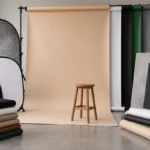
For lightbox shooting, the background sweep inside the box determines the image background. White is standard for e-commerce; black for premium or dramatic product presentations.
For softbox shooting, the surface your product sits on and the background behind it are independent creative decisions. Common options:
- White seamless paper — the clean, neutral choice for catalogue-style work
- Textured surfaces (wood, marble, slate, concrete-effect boards) — for lifestyle and editorial product shots
- Coloured card or paper — for brand-matched or seasonal product photography
- Fabric surfaces (linen, canvas) — for clothing, accessories, and lifestyle products
For more on backdrop selection and construction, our guide to photography backgrounds covers material selection and DIY construction in detail.
Single Light vs Multiple Light Setups
Single softbox setup: One softbox positioned at 45 degrees to the product, slightly above the product plane, with a white reflector on the opposite side to bounce fill back into the shadow. The most common and most versatile product photography setup. Simple, consistent, and produces good results for the majority of products.
Two-light setup: A primary key softbox at 45 degrees plus a secondary fill softbox at lower power on the opposite side. Produces more even, commercial illumination with precise control over shadow depth (adjusting the power ratio between key and fill adjusts the contrast). Better for photography destined for advertising use where exact tonal control is required.
Background light: Adding a third light specifically illuminating the background (rather than the product) allows independent control of background brightness — keeping it pure white without overexposing the product, or creating a graduated tone that adds visual interest.
Controlling Reflections in Product Photography
Shiny products — bottles, electronics, lacquered surfaces, metals, packaged goods — produce reflections of the light source and surroundings in their surfaces. Managing these reflections is one of the most technically demanding aspects of product photography.
Large, diffuse light sources reduce reflection harshness. A large softbox or lightbox produces a large, softly-edged reflection rather than a sharp point of light — which is far less distracting and often looks intentional as a highlight rather than like a technical fault.
Positioning matters. Adjust the angle and height of your softbox to control where the reflection lands on the product surface — moving it to an area that reads as an intentional highlight rather than an obstructive reflection.
Polarising filters. A circular polariser on the lens, rotated to the correct angle, reduces specular reflections on non-metallic surfaces (plastic, lacquer, glass fronts). This can completely eliminate unwanted reflections that lighting adjustment alone cannot resolve. Our guide to circular polarizer filters covers the technique in detail.
Tented setups for highly reflective products. For chrome, highly polished metals, or mirrors — surfaces that reflect everything in the environment — a tent setup (effectively a full-surround diffusion enclosure, similar to a large lightbox, that completely surrounds the product) is the standard professional approach. The product then reflects only the white tent interior rather than the cameras, lights, and photographer.
Post-Processing Product Images
Lightbox and softbox product images typically require less post-processing than other photography genres, but several adjustments are consistently useful:
Background cleanup: Even with a lightbox or white sweep background, the background in RAW files is rarely a perfect pure white. Use Lightroom’s selection tools or Photoshop’s Curves to push the background to true white (255, 255, 255) — required for Amazon and most major e-commerce platforms.
White balance correction: Verify accurate colour rendering after correction. Compare the processed image to the actual product if possible.
Exposure and highlight recovery: Evaluate whether the product itself is correctly exposed — not just the overall image. Highlights on shiny surfaces are common, and selective exposure adjustment using masking keeps the product in range without overexposing or underexposing the background.
Clipping paths and background removal: For images that will be used on multiple backgrounds (common in advertising and e-commerce), a clean clipping path (in Photoshop) or background removal (Lightroom’s Remove Background tool or dedicated tools like remove.bg) isolates the product as a layer that can be placed on any background.
Retouching: Remove dust specks (highly visible under controlled lighting), fingerprints on shiny surfaces, and any unwanted surface blemishes. Use the Healing Brush or Clone Stamp at low opacity for subtle results.
Building a Home Product Photography Studio
With a lightbox or softbox as the centrepiece, a functional product photography studio can be set up in a small dedicated space — a corner of a room, a spare bedroom, or a garage — at very modest cost.
Essential setup:
- One collapsible lightbox (for catalogue e-commerce shots) or one medium softbox with stand (for lifestyle shots), or ideally both
- Camera on a tripod
- White reflector card (foam core from a stationery shop)
- A selection of background surfaces (white, black, a wood texture, a neutral fabric)
- Daylight-balanced LED lights (if not using natural light)
Efficient workflow for high-volume product photography:
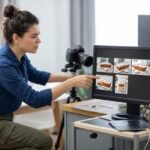
For photographers shooting dozens or hundreds of products (e-commerce catalogues, inventory photography), a tethered shooting workflow significantly reduces overall time. Tethering connects the camera to a laptop via USB, displaying each image on screen immediately after capture. Evaluation, white balance correction, and consistency checking all happen in real time during the shoot rather than after — catching problems immediately rather than discovering them during post-processing hours later.
Further Reading
For the broader range of lighting modifiers used in portrait and commercial photography beyond product-specific lightboxes, our guide to light modifiers for portrait photography covers softboxes, beauty dishes, strip boxes, umbrellas, and grids in complete practical depth. For the polarising filters that solve specific reflection problems in product photography, our guide to circular polarizer filters explains exactly when and how to use them. For the food photography context where lightbox and softbox techniques are most frequently applied alongside studio craft, our food photography guide covers the complete shooting workflow. For the camera and lens selection that pairs with these lighting tools, our camera buying guide and photography lenses guide cover the equipment decisions.
For external reference, the Pixc product photography guide covers e-commerce-specific requirements and platform standards in detail. Tabletop Studio’s resources on lightbox construction and technique are among the most practically useful available for small product photographers at any level.
Final Thoughts
Lightboxes and softboxes represent two different philosophies of controlled light — one eliminates shadows and creates even, isolated illumination; the other shapes soft, directional light that creates dimension and depth. Understanding what each does, when to use each, and how to set each up correctly is the core technical foundation of product photography.
Neither requires significant financial investment to get started — a cardboard DIY lightbox and a shoot-through umbrella representing the entry point, and modest commercial equivalents representing a significant step up at very reasonable cost. The skill required to use both well is the same skill that applies to all photography lighting: understanding what happens when you move the light, change its size, or change its direction, and using that understanding to produce exactly the image you want.

Charles is a passionate photographer and visual storyteller with a keen eye for capturing authentic moments and timeless emotions. Through here, he combines creativity, technical expertise, and a love for natural storytelling to create images that preserve life’s most meaningful memories. His work focuses on genuine connections, beautiful details, and the unique stories behind every photograph.