In the realm of digital photography, mastering ISO and understanding its impact on digital noise is paramount to capturing high-quality images. This guide provides an in-depth exploration of ISO sensitivity, its relationship with digital noise, and practical techniques for managing both to achieve optimal results in various shooting scenarios.
Understanding ISO and its Role
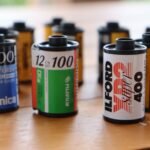
ISO, or International Organization for Standardization, represents a camera’s sensitivity to light. It originated in the film era but has been adapted for digital photography. A lower ISO value indicates lower sensitivity, while a higher ISO value signifies greater sensitivity. The core function of ISO is to allow photographers to achieve proper exposure in different lighting conditions.
- Low ISO (e.g., 100-200): Best suited for bright, sunny conditions or when using artificial lighting. Provides the cleanest image with minimal noise.
- Mid-Range ISO (e.g., 400-800): Suitable for moderately lit environments, such as overcast days or indoor settings with good ambient light. A slight increase in noise may be noticeable.
- High ISO (e.g., 1600+): Used in low-light situations where a faster shutter speed or smaller aperture is needed. Significantly increases the risk of introducing noticeable digital noise.
The Relationship Between ISO and Digital Noise
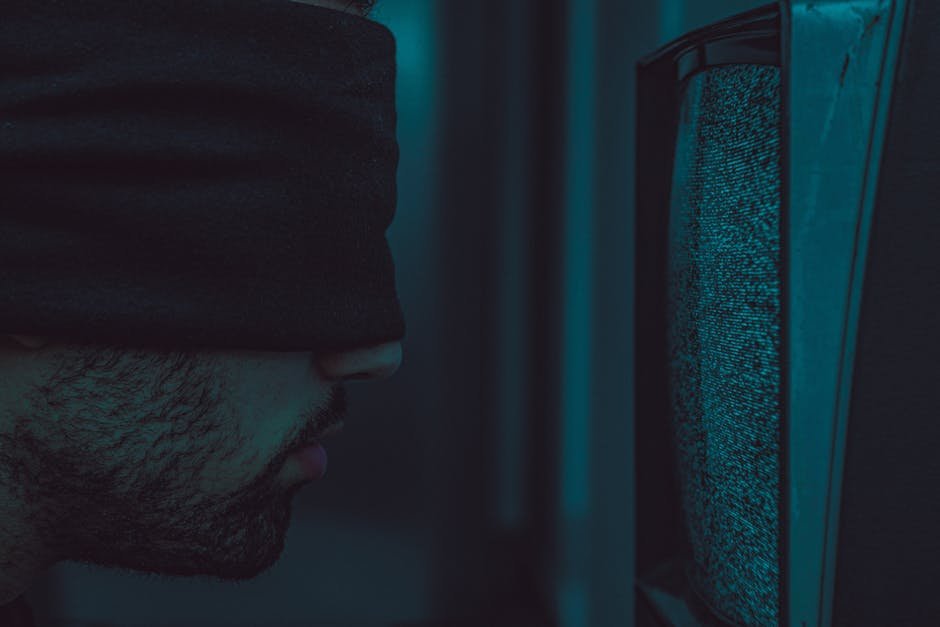
Digital noise is the unwanted random variation of brightness or color information in an image, appearing as graininess or speckling. It’s the digital equivalent of film grain. The primary culprit for increased noise in digital photography is high ISO settings.
When you increase the ISO, you are essentially amplifying the signal received by the camera’s sensor. This amplification boosts both the desired signal (light) and the unwanted signal (noise). Therefore, the higher the ISO, the more noise is introduced into the image.
Types of Digital Noise
Understanding the types of digital noise can help you identify and address them more effectively:
- Luminance Noise: Appears as variations in brightness, making the image look grainy. More visible in the darker areas of an image.
- Color Noise (Chrominance Noise): Manifests as random color specks or blotches, often appearing as red, green, and blue pixels in areas that should be uniform in color. More distracting than luminance noise.
- Fixed Pattern Noise: A consistent pattern of noise that is specific to the camera’s sensor. This noise is more apparent in long exposures and can often be removed with dark frame subtraction.
Factors Affecting Digital Noise
Besides ISO, several other factors can influence the amount of digital noise in your images:
- Sensor Size: Cameras with larger sensors generally produce less noise at higher ISO settings. Larger sensors have larger individual pixels, which can capture more light, resulting in a cleaner signal.
- Pixel Size (Pixel Pitch): Even with the same sensor size, cameras with larger pixels tend to perform better in low light and exhibit less noise.
- Image Processing: The camera’s internal image processing can either reduce or exacerbate noise. Aggressive noise reduction algorithms can smooth out noise but may also reduce detail.
- Underexposure: Underexposing an image and then brightening it in post-processing can significantly increase noise. It is often better to slightly overexpose and recover highlights than to underexpose and lift shadows. According to the expert source, pushing your ISO will introduce less noise than trying to “fix” an underexposed image in post.
- Long Exposure: Extended shutter speeds can generate heat within the sensor, leading to increased noise, especially fixed-pattern noise.
Strategies for Managing ISO and Digital Noise
Effective management of ISO and digital noise involves a combination of in-camera techniques and post-processing strategies.
In-Camera Techniques
- Expose Correctly: Aim for proper exposure in-camera whenever possible. Use the camera’s light meter and histogram to ensure that the image is well-exposed without clipping highlights or shadows.
- “Expose to the Right” (ETTR): In certain situations, slightly overexposing the image (without clipping highlights) can improve the signal-to-noise ratio. This technique involves adjusting the exposure so that the histogram is shifted towards the right side, capturing more light in the sensor. However, use caution and be mindful of highlight recovery.
- Use a Wider Aperture: If possible, use a wider aperture (smaller f-number) to let in more light, allowing you to use a lower ISO.
- Reduce Shutter Speed: Lowering the shutter speed can also allow more light to reach the sensor, enabling a lower ISO. However, be mindful of motion blur if your subject or the camera is moving.
- Stabilization: Use a tripod or image stabilization (IS) technology to enable slower shutter speeds without motion blur, allowing you to use a lower ISO.
- Shoot in RAW: RAW files contain more image data than JPEGs, providing greater flexibility in post-processing for noise reduction and detail recovery.
- Use Noise Reduction Features (Sparingly): Most cameras offer built-in noise reduction features. Use these features sparingly, as aggressive noise reduction can soften details and create an unnatural look.
- Understand Your Camera’s ISO Performance: Different cameras have different ISO performance characteristics. Experiment to determine the highest ISO setting that you can use with acceptable noise levels for your specific camera.
Post-Processing Techniques
Post-processing software offers various tools for reducing digital noise. However, it’s crucial to use these tools judiciously to avoid over-smoothing and loss of detail.
- Dedicated Noise Reduction Software: Programs like Topaz Photo AI or DxO PhotoLab offer advanced noise reduction algorithms that can effectively reduce noise while preserving detail. The expert source finds that a proper exposure in-camera and some sliders in Lightroom is all that they need for their work, and they don’t use anything like Topaz or Lightroom’s built-in AI tools, though they have experimented with it.
- Adobe Lightroom/Photoshop: Lightroom and Photoshop offer noise reduction tools that allow you to adjust luminance and color noise separately. Experiment with the sliders to find the optimal balance between noise reduction and detail preservation.
- Selective Noise Reduction: Apply noise reduction selectively to specific areas of the image, such as shadows or areas with uniform color. This can help to minimize noise without affecting areas with important details.
- Sharpening: After noise reduction, consider applying sharpening to restore some of the lost detail. However, avoid over-sharpening, as this can amplify noise and create unwanted artifacts.
- Denoise Before Other Adjustments: It is often best to perform noise reduction as one of the first steps in your post-processing workflow. This helps prevent other adjustments from exaggerating the noise.
Practical Scenarios and ISO Choices
The ideal ISO setting depends on the specific shooting scenario. Here are some guidelines for different situations:
- Bright Sunlight: ISO 100-200
- Overcast Day: ISO 200-400
- Indoor with Good Lighting: ISO 400-800
- Indoor with Low Lighting: ISO 800-3200+
- Night Photography (Cityscapes): ISO 400-1600 (depending on available light and tripod use)
- Night Photography (Astrophotography): ISO 800-6400+ (requires careful testing and noise reduction techniques)
Conclusion
Mastering ISO and understanding digital noise is crucial for achieving optimal image quality in digital photography. By understanding the relationship between ISO and noise, implementing effective in-camera techniques, and utilizing post-processing tools judiciously, photographers can capture stunning images in a wide range of lighting conditions. Experimentation and practice are key to developing a personal workflow that balances noise reduction with detail preservation, ultimately enhancing the overall quality of your photographs. Remember that getting the exposure correct in camera is always the best first step in managing noise.