
Your photography website is the most important marketing asset your business owns. Not your Instagram account — which Meta controls and can suppress or suspend without warning. Not your Google Business Profile — which Google can alter or de-rank. Your website is the one digital property that belongs entirely to you: your portfolio, your brand, your copy, your domain, your data.
A well-built photography website does four things simultaneously: it showcases your work at its best, it converts visitors into enquiries, it ranks in Google for the searches your potential clients are making, and it operates as a credible, professional reflection of what it would be like to hire you.
This guide covers every step of building that website — from platform selection to portfolio curation, page structure, SEO implementation, image optimisation, and conversion mechanics. It is the complete implementation guide to accompany the broader marketing strategy covered in our guide to marketing your photography business.
Step One: Choose Your Platform
The platform decision is the most consequential technical choice you will make for your website. It determines your flexibility, your costs, your SEO ceiling, and how much time you will spend on maintenance versus shooting.
The Main Options Compared
WordPress.org (self-hosted)
WordPress powers approximately 43% of all websites on the internet — not because it is the easiest option but because it is the most capable. A self-hosted WordPress site gives you complete control over design, functionality, hosting environment, and SEO configuration. No other platform comes close for customisation ceiling.
What it requires: purchasing hosting separately (recommended providers for photographers: SiteGround, WP Engine, or Cloudways — expect $15–$50/month for reliable managed WordPress hosting), installing WordPress, choosing a theme, and managing updates and security. There is a learning curve, but it is not as steep as its reputation suggests.
For photographers who plan to blog consistently, want maximum SEO control, or intend to build a significant content presence, WordPress is the strongest long-term platform choice.
Squarespace
Squarespace is the most popular all-in-one website builder among photographers who want professional results without technical complexity. Templates are genuinely beautiful, image display quality is excellent, hosting is included, and the editor is visual and intuitive.
Limitations: less SEO flexibility than WordPress (limited control over certain technical SEO elements), higher ongoing monthly cost ($23–$65/month depending on plan), and customisation ceiling below WordPress. For many photographers who primarily want a clean, professional portfolio and a contact form, these limitations are irrelevant.
Showit
Showit is a drag-and-drop website builder that pairs with WordPress for blogging — you design visually in Showit’s interface (which is pixel-level flexible, unlike most builders) and blog on a connected WordPress install. Popular among wedding and portrait photographers for its visual design freedom and the ability to create genuinely distinctive, non-template-feeling websites.
Pricing ($19–$39/month depending on plan) is competitive with Squarespace, and the resulting websites often look more custom than either Squarespace or standard WordPress themes. Worth serious consideration for photographers who care deeply about design differentiation.
Format
Format is portfolio-focused and photographer-specific — clean, image-forward templates, client proofing galleries, and a streamlined interface. Less powerful than WordPress or Showit for blogging and marketing but very capable for a pure portfolio presentation. Plans start around $10/month.
Pixieset
Pixieset is best known as a client gallery delivery platform, but its website builder has grown into a competent all-in-one option for photographers. The integration between website, client galleries, and a built-in store (for print sales) is seamless. If you are already using Pixieset for gallery delivery, building your website within the same platform reduces cost and complexity.
Wix
Widely used due to heavy marketing and a very accessible interface. However, Wix’s SEO implementation is consistently weaker than Squarespace or WordPress, image loading performance is often poor without manual optimisation, and the template selection — while large — produces sites that often look similar to each other. Not recommended for photographers who care about Google search visibility.
Platform Recommendation by Situation
| Situation | Recommended Platform |
|---|---|
| Maximum SEO control, blogging focus | WordPress + Kadence or Astra theme |
| Clean portfolio, minimal technical involvement | Squarespace |
| Distinctive design, already blogging | Showit |
| Pure portfolio, tight budget | Format |
| Already using for galleries, want integration | Pixieset |
| Avoid | Wix |
Step Two: Choose Your Domain Name
Your domain name is your permanent address on the internet. Choose it carefully — changing it later requires 301 redirects that can temporarily affect search rankings and confuse existing clients.
Best practice for photographer domain names:
Use your name as the domain if possible: [yourname]photography.com or simply [yourfirstname][yourlastname].com. Your name is unique, brand-safe, and easy to remember. If your name is unavailable as .com, consider .photography (an increasingly accepted domain extension for this industry) or add your city: [yourname]london.com.
What to avoid:
Use your name as the domain if possible: [yourname]photography.com or simply [yourfirstname][yourlastname].com. Your name is unique, brand-safe, and easy to remember. If your name is unavailable as .com, consider .photography (an increasingly accepted domain extension for this industry) or add your city: [yourname]london.com.
Where to register:
Namecheap and Google Domains offer competitive pricing ($10–$15/year for .com) with clean interfaces and reliable DNS management. If you are building on WordPress, your hosting provider will often include domain registration — convenient but not always the cheapest option for renewals.
Step Three: Plan Your Site Structure
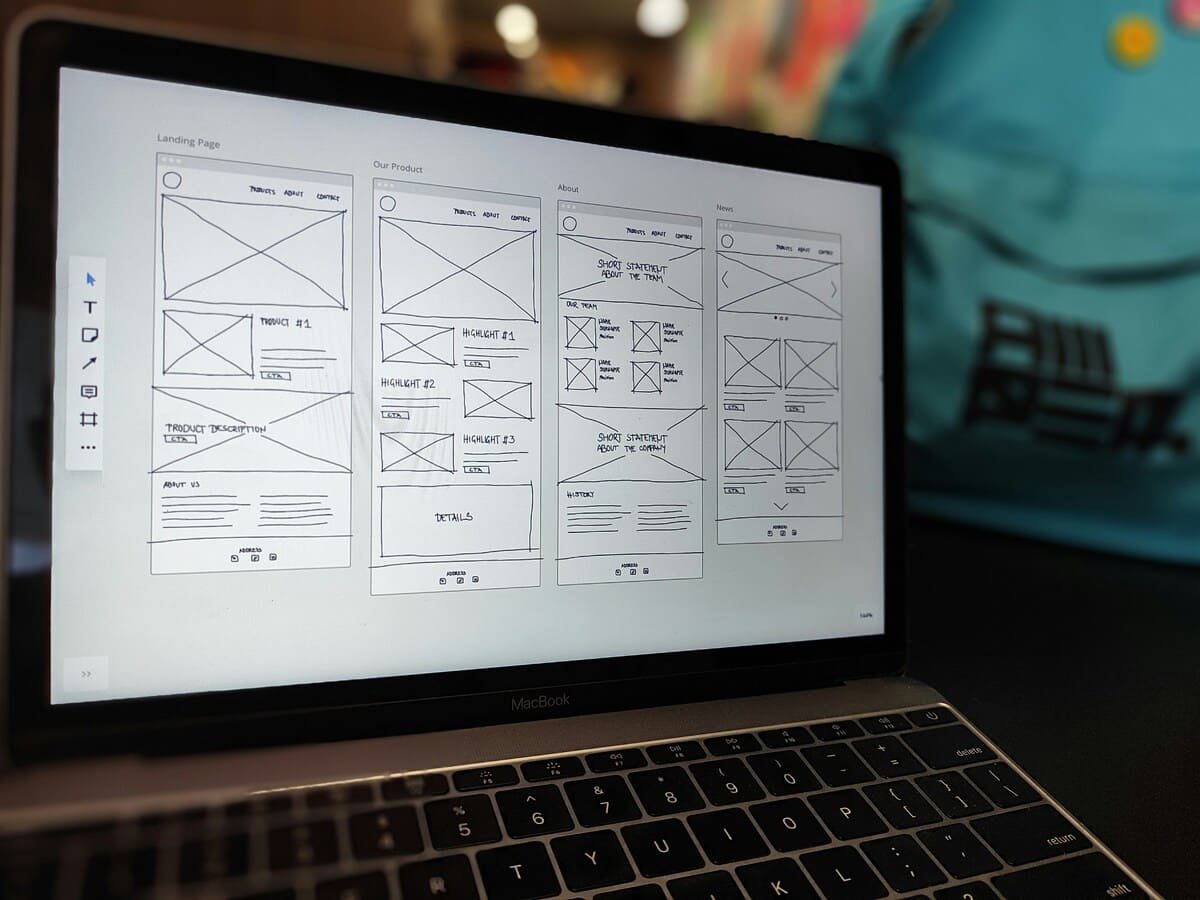
Before designing or writing a single page, plan the complete structure of your site. The structure determines navigation clarity, how Google understands your content, and which pages you are directing visitors to at each stage of their decision journey.
The Essential Pages
Homepage
The homepage is your highest-traffic page and must do several jobs simultaneously: immediately communicate what you do and who you serve, present the visual quality of your work, create an emotional connection, and direct visitors toward their next step (viewing portfolio, reading about you, or making contact).
Homepage structure that converts:
- Hero section: One powerful image or short image slider + a single clear headline that states your photography type and location (e.g., "Documentary Wedding Photography in Edinburgh") + one call-to-action button ("View Portfolio" or "Check Availability")
- Brief portfolio preview: 6–9 images representing your strongest, most characteristic work
- Brief About teaser: Two to three sentences about you and your approach + link to full About page
- Social proof: Two or three short client testimonials with names
- Services overview: Brief summary of what you offer + link to Services/Pricing page
- Second call-to-action: Contact or enquiry form or button
The homepage should not try to contain everything — it should direct traffic to the pages that contain the depth. Long, scrolling homepages that try to cover portfolio, about, pricing, and contact in one page dilute each section’s impact and slow page load significantly.
Portfolio
Your portfolio is where hiring decisions are made. The curation principle is absolute: only your best work. An inconsistent portfolio — where strong images are diluted by weaker ones included for completeness — lowers the overall impression. It is better to show twenty images you are completely proud of than forty where the last ten are filler.
Organise into galleries by specialty if you offer multiple services: separate galleries for weddings, portraits, commercial work, etc. A potential wedding client should not have to scroll through your corporate headshots to find relevant work.
Image count per gallery: 20–40 images is sufficient for most photography specialties. Beyond 50, fatigue reduces the impact of every image.
About
The About page is the most important non-portfolio page on a photography website. People hire photographers — not cameras, not portfolios. The About page is where the personal connection that precedes a booking is first established.
What an effective photography About page includes:
- A professional, friendly photograph of you (ideally in a shooting context or natural environment — not a formal headshot unless you shoot formal corporate work)
- Your story: how you came to photography, what drives your work, what your specific approach or philosophy is. This does not need to be long — 200–400 words of genuinely personal writing outperforms 800 words of generic professionalism
- Specific details that make you human: where you are based, what you love outside photography, a specific detail about your shooting style or process that feels concrete and real
- Any relevant credentials, publications, awards, or notable clients (briefly — not a CV)
- A closing call-to-action directing the reader toward the next step
Write in first person. Write in your actual voice, not corporate-speak. “I believe the best wedding photographs happen when the couple forgets I’m there” is more compelling than “We strive to capture authentic moments through unobtrusive documentary coverage.”
Services and Pricing
The debate about whether to publish photography pricing publicly has no universally correct answer. The practical consideration: a Services page with no pricing information will generate enquiries from people at every price point, including many who cannot afford you, wasting both your time and theirs. Publishing at least a “starting from” price acts as a filter that improves enquiry quality significantly.
The Services page should clearly explain what each service involves — not just list names and prices. A potential wedding client reading “Full Day Coverage — £3,500” with no further context is less informed and less likely to enquire than one who reads a paragraph explaining exactly what that includes: hours of coverage, number of photographers, editing approach, delivery format, and timeline.
Group services logically: if you offer both weddings and portrait sessions, give each its own section with a brief description and starting price. If you offer packages, display them clearly using the three-tier structure discussed in our photography pricing guide.
Contact
The contact page should be simple and frictionless. The primary element is the contact form — ask only what you need to respond usefully: name, email address, type of photography needed, and date if applicable. Every additional field reduces completion rate.
Include your email address as plain text alongside the form — some visitors prefer to email directly rather than use a form, and providing the option costs nothing. Your general location (city and region) helps visitors confirm you serve their area without requiring them to ask.
Response time commitment: if you consistently respond within 24 hours, state it. Clients who enquire with multiple photographers book the one who responds first, everything else being roughly equal.
Blog (Optional but Recommended)
A blog serves dual purpose: it generates ongoing organic search traffic through content that answers questions your clients are searching for, and it demonstrates expertise and personality beyond what portfolio images alone can convey.
The most effective blog content for photographer websites falls into three categories: real sessions and weddings (showcasing specific work with the story behind it, which also allows you to rank for venue-specific and location-specific search terms), educational content for clients (how to prepare for a family session, what to wear for headshots, what happens during a newborn shoot), and educational content for photographers (technique, gear, business) which builds authority and drives traffic from photography communities.
One well-written, substantive blog post per month is more valuable for SEO than four thin posts. Quality and depth outperform frequency at the content level Google currently rewards.
Step Four: Curate Your Portfolio Images
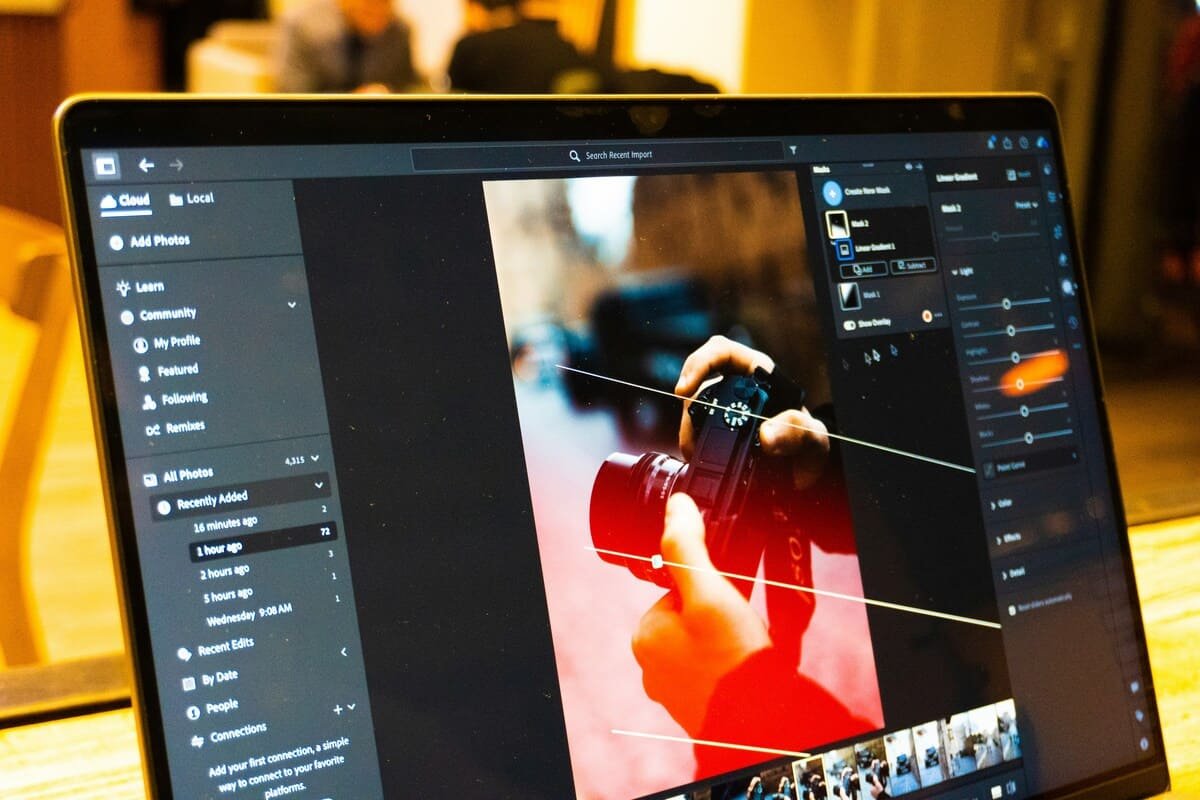
Image selection for your website portfolio is a curation task, not an archiving task. You are not creating a comprehensive record of your work — you are building a specifically designed argument for why a prospective client should hire you.
Curation Principles
Show only what you want to be hired to shoot. If you want to shoot more weddings and fewer events, weight your portfolio toward weddings even if your booking ratio is currently the reverse. The work you display attracts more of the same work.
Start strong and end strong. Visitors’ attention and retention are highest at the beginning and end of a gallery. Place your single strongest image first, your second strongest last, and sequence the middle for variety and visual rhythm.
Remove images that weaken the overall impression. In a portfolio of thirty images, one noticeably weaker image reduces the perceived quality of all thirty. The standard is not “is this image acceptable?” but “does this image strengthen or weaken the portfolio as a whole?”
Variety within coherence. A portfolio of thirty identical compositions becomes monotonous. Vary: orientation (landscape and portrait), distance (wide, medium, close), subject matter (within your specialty), and light quality. But maintain coherent style — the processing, tonal approach, and aesthetic voice should feel consistent throughout.
Image Optimisation for Web
Your portfolio images must load quickly without sacrificing visible quality. Large, unoptimised images are the primary cause of slow photography website load times — and slow load times both damage search rankings (Google uses page speed as a ranking signal) and increase visitor bounce rates.
File format: Export portfolio images as JPEG for maximum compatibility and smallest file size at quality settings above 80. WebP format (supported by all modern browsers) produces files 25–35% smaller than equivalent JPEGs at the same visual quality — consider converting to WebP for web delivery.
Resolution: For full-screen display on standard monitors, 2000–2500 pixels on the long edge is sufficient. Higher resolution produces larger files with no visible benefit on screen. Retina/HiDPI screens benefit from up to 3000 pixels on the long edge, but many platforms handle this automatically through responsive image serving.
Target file size: Aim for 200–400KB per image. Above 500KB per image on a gallery page of 20+ images produces cumulative load times that damage both user experience and search rankings.
Optimisation tools: Adobe Lightroom’s export settings allow precise control over JPEG quality and output resolution. TinyJPEG or Squoosh (free browser-based tools) apply additional lossless compression after Lightroom export. ImageOptim (Mac) automates this for batch exports.
Lazy loading: Most modern website platforms implement lazy loading by default — images below the visible viewport are not loaded until the user scrolls to them, significantly improving initial page load times. Verify your platform implements this, or add it via plugin (WordPress: Smush or ShortPixel).
Step Five: Write Effective Website Copy
Photography websites are predominantly visual — but the copy that surrounds and contextualises your images significantly affects whether visitors become enquiries. Weak copy on a visually strong website consistently underperforms the same images with copy that speaks directly to the visitor’s situation and concerns.
Principles for Effective Photography Website Copy
Write to one person, not everyone. The most common copy mistake is writing for a generic audience: “I serve clients looking for beautiful photography.” Your ideal client is a specific person with specific concerns. Speak to them directly. “If you want wedding photographs that feel like you — unposed, real, and full of the moments you actually remember — we should talk.”
Lead with what the client gets, not what you do. “I use a documentary approach with medium format film” describes your process. “You’ll have photographs of the moments you weren’t watching for — your grandmother’s face when you walk in, your father’s expression before the speech” describes the benefit. The second version speaks to the client’s actual desire.
Use specific, concrete language. “Stunning, timeless, authentic images” appears on thousands of photography websites and means nothing because it describes everything. “Photographs taken at the reception that looked like they were made for a magazine — because I lit the first dance with off-camera flash from the balcony while your guests didn’t notice a thing” is specific, credible, and differentiated.
Address the primary concern directly. The main concern of most photography clients is not “will the images be beautiful?” (they assume yes if they’ve chosen you based on your portfolio) — it is “will I feel comfortable and natural in front of a camera?” Your About page, Services page, and FAQ should address this concern directly and specifically.
Call-to-action on every page. Every page of your website should end with a clear, specific call-to-action: “Check my availability,” “View the wedding portfolio,” “Book a consultation call.” Visitors who have reached the end of a page without being directed somewhere specific will simply leave.
Step Six: Implement SEO Fundamentals
A visually stunning website that Google cannot find or understand is not delivering its full value. SEO for photography websites is not technically complex — the fundamentals are achievable without specialist knowledge.
Local SEO: The Most Important SEO Priority for Most Photographers
Most photography clients search locally: “wedding photographer Edinburgh,” “family portrait photographer near me,” “headshot photographer London.” Ranking for these local search terms is significantly more achievable than ranking for generic national terms, and the traffic is far more commercially valuable.
Core local SEO elements:
Page title tags: Your homepage title tag — the text that appears in the browser tab and in Google search results — should include your primary photography type and location: “Edinburgh Wedding Photographer | [Your Name]” or “London Portrait and Headshot Photography | [Your Name].” This signals to Google exactly what you do and where.
Meta descriptions: The brief description shown beneath your page title in Google results. Write it as a mini-advertisement: “Edinburgh wedding photographer specialising in documentary and fine art coverage. Natural, unposed images that tell the story of your day. Now booking 2026–2027.”
Page copy with location references: Naturally include your city, region, and specific venues you have photographed in your portfolio descriptions, blog posts, and About page. “Photographed at Prestonfield House, Edinburgh” on a portfolio page helps you rank when couples search for photographers at that specific venue.
Google Business Profile: Claim and fully optimise your Google Business Profile (covered in detail in our marketing guide). It directly impacts local map pack visibility.
Technical SEO Essentials
SSL certificate (HTTPS): All modern hosting plans include free SSL certificates (Let’s Encrypt). Ensure your site loads as https:// not http:// — Google uses HTTPS as a minor ranking signal and browsers flag non-HTTPS sites as “Not Secure.”
XML sitemap: Submit your sitemap to Google Search Console so Google knows all the pages on your site. Most platforms generate sitemaps automatically; WordPress with Yoast SEO or RankMath handles sitemap generation and submission.
Image alt text: Every image on your website should have a descriptive alt text attribute — both for accessibility (screen readers use alt text to describe images to visually impaired users) and for SEO (Google cannot see images directly and uses alt text to understand image content). “Bride and groom first dance at Prestonfield House Edinburgh wedding” is better than “wedding photo” or leaving the field blank.
Page load speed: Use Google’s free PageSpeed Insights tool to assess your website’s current speed score and specific recommendations for improvement. For photography websites, the primary improvements are almost always image optimisation and server response time — both of which can typically be addressed without technical expertise.
Mobile optimisation: Google uses mobile-first indexing — it crawls and ranks your website based on its mobile version. Test your site on multiple real devices as well as through Google’s Mobile-Friendly Test tool.
Content SEO: Blogging for Search Traffic
Well-written blog content targeting specific search queries your potential clients are making is the most sustainable long-term SEO strategy available to photographers.
High-value content targets for photographer blogs by niche:
- Wedding photographers: "[Venue name] wedding photographs," "what to wear for engagement photos," "[City] wedding venues," "how to choose a wedding photographer"
- Portrait photographers: "family photography tips," "what to wear for family photos," "how to prepare for a headshot session"
- Commercial photographers: "[City] product photographer," "how to photograph products for Amazon," "[Industry] brand photography"
Write these posts at 1,000–2,000 words with genuine depth and specific, useful information. Thin, keyword-dense posts no longer rank — Google’s Helpful Content system penalises content written primarily to rank rather than to genuinely inform.
Step Seven: Set Up Essential Technical Elements
Beyond design and content, several technical elements are essential for a professional, well-functioning photography website.
Analytics
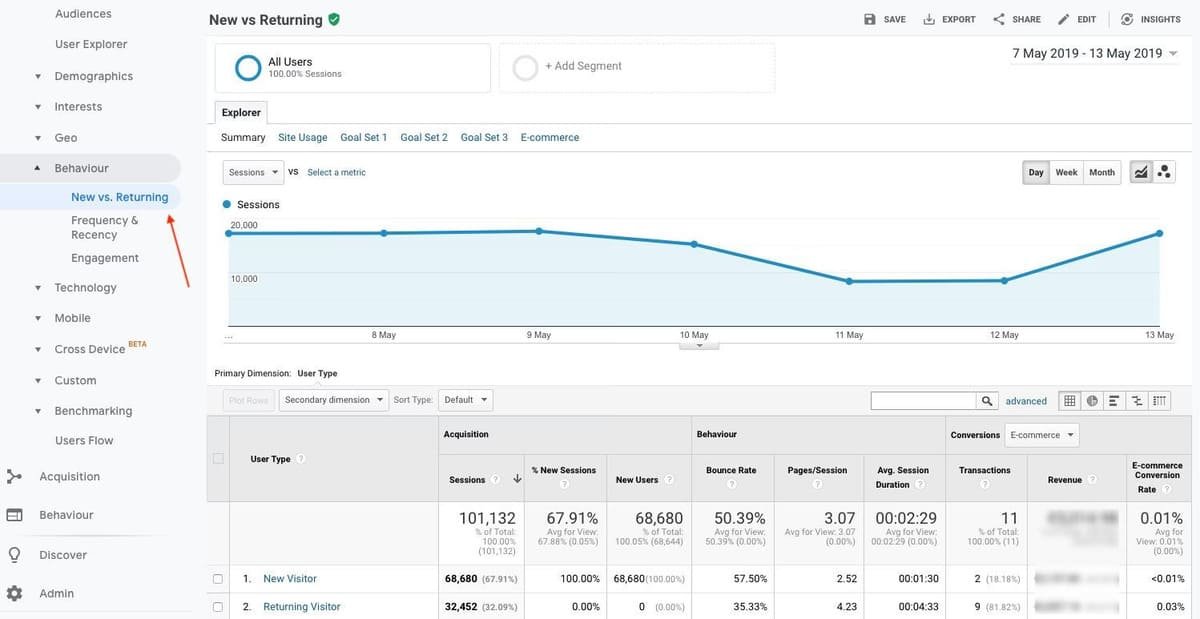
Install Google Analytics 4 and connect Google Search Console before your site goes live. These free tools tell you: how many visitors your site receives and where they come from, which pages they visit and for how long, which search terms bring people to your site, and where visitors drop off without contacting you. This data is essential for making informed decisions about where to invest time and money in your website.
Contact Form and CRM Integration
Your contact form should deliver enquiries to your email immediately and reliably. Test it before going live and test it monthly — form delivery failures (due to spam filters, plugin conflicts, or hosting changes) silently kill enquiries without you knowing.
If you use a CRM or booking system (HoneyBook, Dubsado, or 17hats), connect your contact form directly to your CRM so enquiries automatically create leads without manual data entry. Many CRM platforms provide embeddable contact forms that handle this integration natively.
Favicon and Brand Elements
A favicon — the small icon that appears in browser tabs — should be your logo or initials in a clear, recognisable form. A generic WordPress or Squarespace icon in the browser tab is a minor but visible signal of incomplete setup. Takes five minutes to configure.
Legal Pages
A privacy policy is legally required in most jurisdictions if your site collects any personal data — which it does through contact forms, analytics, and cookies. A cookie consent notice is required under GDPR for sites serving EU visitors. Use a free generator (Termly or iubenda offer photography-appropriate templates) rather than copying privacy policies from other sites.
Step Eight: Ongoing Maintenance and Updates
A photography website is not a one-time project — it requires ongoing attention to remain effective.
Update your portfolio regularly. Remove images that no longer represent your current best work and add recent images that do. A portfolio that looks exactly the same for three years signals to returning visitors that you are not actively shooting.
Update your blog. Fresh content signals to Google that the site is actively maintained. A completely static site with no new content is ranked progressively lower as fresher, more updated competitors are preferred.
Test your contact form quarterly. Send a test enquiry and verify it reaches your inbox. This is the most important functional test on a photography website.
Check for broken links annually. Use Screaming Frog (free up to 500 URLs) or Broken Link Checker (WordPress plugin) to identify and fix links that return 404 errors — including those broken internal links like the ones identified elsewhere on haikuphotography.com.
Back up your site. WordPress sites should be backed up weekly (UpdraftPlus is a reliable free plugin). Squarespace and Showit manage backups at the platform level. A site that is hacked, corrupted, or accidentally broken is recoverable in minutes with a recent backup and unrecoverable without one.
Further Reading
For the broader marketing strategy that your website serves as the centrepiece of — including Google Business Profile optimisation, social media strategy, email marketing, and local marketing — our complete guide to marketing your photography business covers the full picture. For the pricing and services page specifically — what to charge, how to structure packages, and how to present prices — our photography pricing guide covers the complete framework. For building the portfolio quality that makes your website worth visiting, our guide to developing your photography style covers the creative development work that underpins a strong portfolio.
For external tools and resources: Google Search Console is the non-negotiable free tool for understanding how Google sees your site. PageSpeed Insights provides specific, actionable image and performance recommendations. Squoosh by Google is the best free browser-based image compression tool for preparing portfolio images for web.
Final Thoughts
A photography website is never finished — it is maintained. The photographers whose websites consistently generate enquiries are not those who built the most expensive or most complex sites. They are the ones who keep their portfolio current, write about their work regularly, ensure their contact form works, and invest modestly in the technical foundations that allow Google to find and rank their pages.
The technical elements in this guide — platform, structure, optimisation, speed — create the conditions for your website to perform. Your images and your copy determine whether it actually does. Get the technical foundation right, then invest your primary effort in keeping the portfolio sharp and the copy honest.

Charles is a passionate photographer and visual storyteller with a keen eye for capturing authentic moments and timeless emotions. Through here, he combines creativity, technical expertise, and a love for natural storytelling to create images that preserve life’s most meaningful memories. His work focuses on genuine connections, beautiful details, and the unique stories behind every photograph.