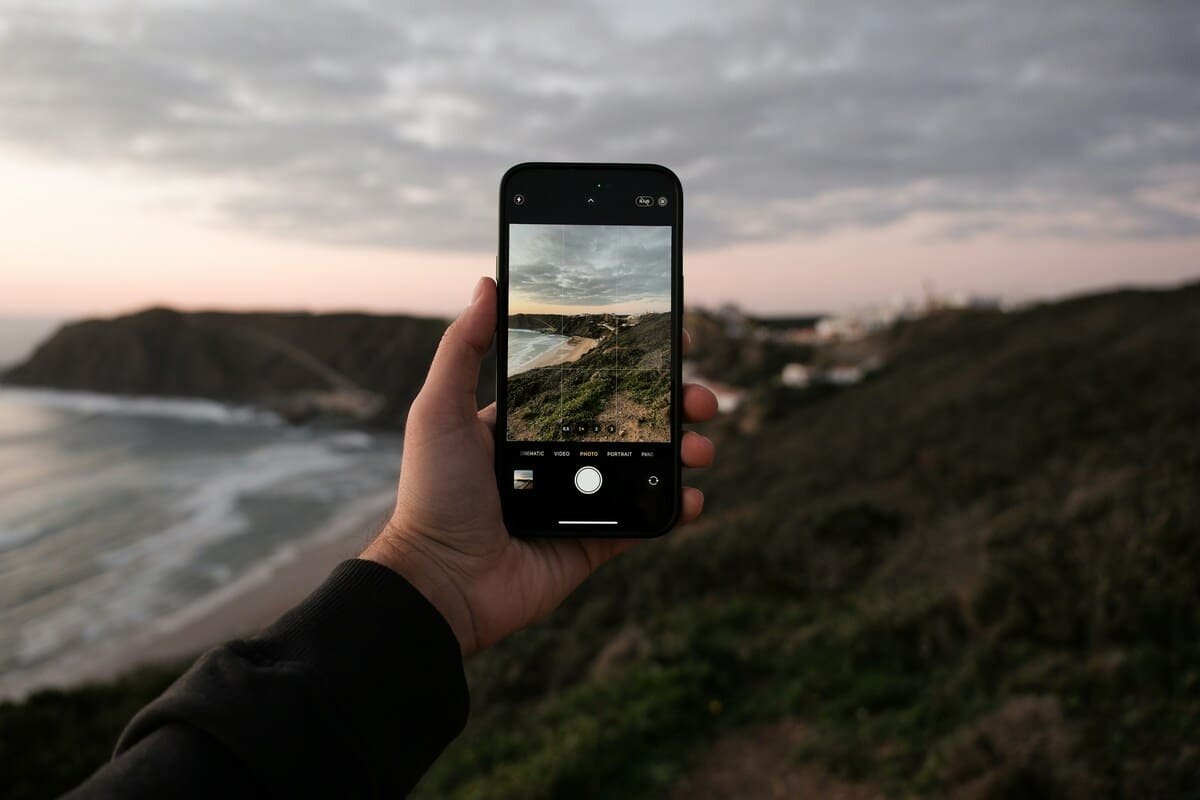
The best camera is the one you have with you — and for most people, most of the time, that camera is a smartphone. Modern flagship phones from Apple, Samsung, and Google produce images that would have required professional equipment a decade ago. But the gap between what these cameras are capable of and what most people actually get from them remains enormous.
That gap is not a hardware problem. It is a knowledge problem. The computational photography systems inside current smartphones are extraordinarily capable — but they make assumptions about what you want that are frequently wrong for anyone trying to go beyond automatic snapshots. Understanding how to work with and around those assumptions is what separates photographers who get consistently great results from smartphones from those who wonder why their photos never quite look like what they saw.
This guide covers everything: how smartphone cameras actually work, how to use manual controls, how to work with light, composition principles that apply specifically to the phone form factor, the apps worth using, editing on your phone, and the genuine limitations you need to understand to know when a dedicated camera matters.
How Smartphone Cameras Actually Work
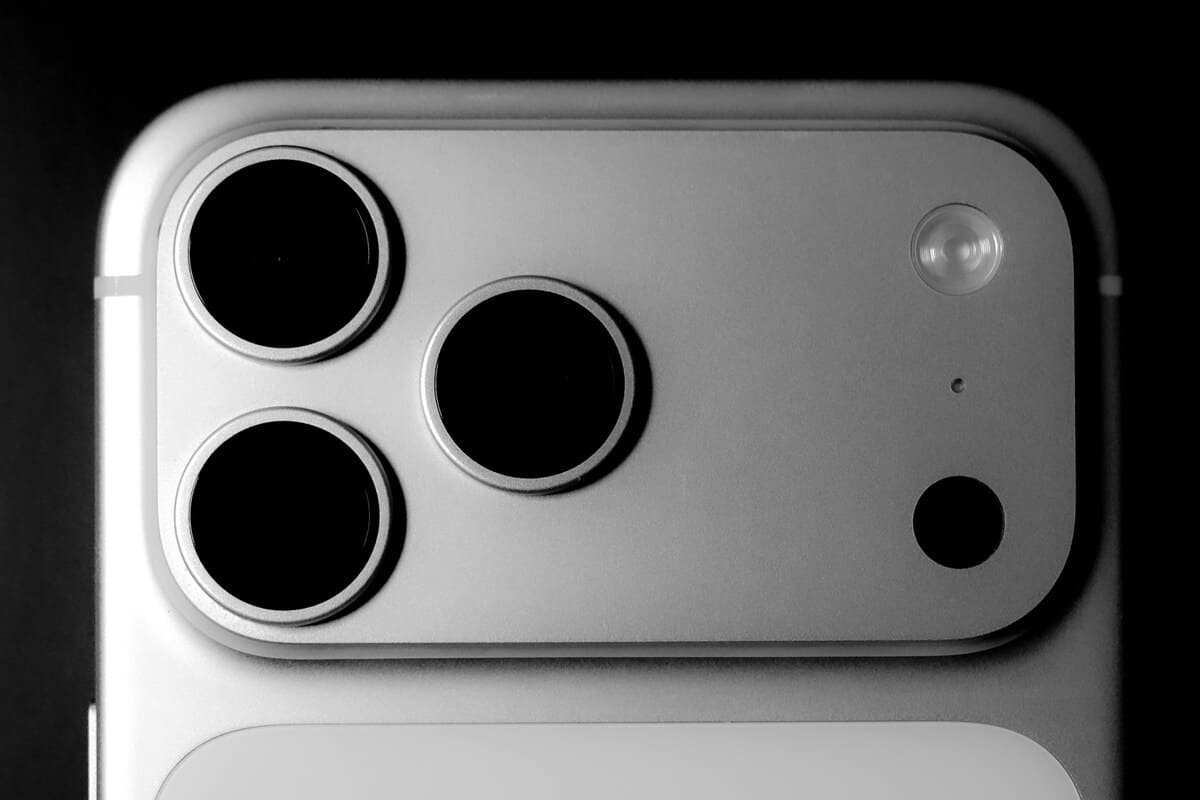
Understanding the technical reality of smartphone photography helps you make better decisions at the point of capture and set realistic expectations about what your phone can and cannot do.
The Sensor Size Problem — and How Computational Photography Solves It
The fundamental physical limitation of smartphone cameras is sensor size. The sensor in an iPhone 16 Pro measures approximately 8.5 × 6.4mm. The sensor in a full-frame mirrorless camera measures 36 × 24mm — roughly 15 times the area. Larger sensors collect more light per unit time, which produces cleaner images at high ISO and more dynamic range.
Smartphone manufacturers have addressed this limitation not by making sensors larger (there is only so much space in a phone) but through computational photography — using the phone’s processor and AI algorithms to produce results that would be physically impossible from the sensor alone.
Multi-frame capture: When you press the shutter button on a modern smartphone, the camera typically captures a burst of 8–15 frames in rapid succession and merges them. The merge process aligns the frames to compensate for camera shake, averages out random noise (which varies frame-to-frame while real image detail does not), and combines the best-exposed areas of each frame. The single JPEG you receive is the output of this computational process, not a record of a single moment of light reaching the sensor.
HDR processing: Simultaneously captures frames at multiple exposure levels and merges them, preserving highlight detail in bright areas and shadow detail in dark areas that a single exposure could not hold simultaneously.
Night mode: Extends the multi-frame capture process to 1–10 seconds with the frames precisely aligned through motion detection and gyroscope data. The result simulates the effect of a long exposure without a tripod — though with some visible artifacts in fast-moving subjects.
Portrait mode: Uses depth mapping (through a secondary camera, LiDAR sensor on Pro models, or AI depth estimation) to generate a simulated depth-of-field blur. The lens itself cannot produce shallow depth of field at phone scale — the blur is entirely artificial. Quality has improved dramatically but remains identifiable as simulated in complex edge cases (hair, glasses frames, fine details).
Understanding that these processes are happening helps you use them intentionally rather than passively accepting whatever the phone decides.
The Multiple Lens System
Modern flagship smartphones contain multiple physical lenses at different focal lengths:
Ultra-wide (0.5x / ~13mm equivalent): Extremely wide field of view, useful for architecture interiors, environmental portraits, and creative perspectives. Typically the lowest quality of the three cameras — smallest sensor, no optical stabilisation on most models, more distortion at the edges.
Main / wide (1x / ~24-26mm equivalent): The primary camera with the largest sensor and best image quality. On iPhone Pro models, 48MP sensor allows 2x “lossless” crop (using only the central 12MP of the sensor) without optical zoom. For most situations, this is the camera you should use.
Telephoto (2x, 3x, 5x depending on model): A separate physical lens with longer focal length. Genuine optical zoom — the image is magnified by the optics, not digitally cropped. On iPhone 15 Pro Max and iPhone 16 Pro, the 5x telephoto produces noticeably better results for distant subjects than equivalent digital zoom. On mid-range phones where the “telephoto” is digital rather than optical, avoid it entirely in favour of cropping the main camera in post.
What this means practically: Use the main (1x) camera for the majority of your shooting. Use the ultra-wide deliberately for specific creative effects or when you genuinely cannot back up. Use the telephoto optical zoom for distant subjects. Avoid digital zoom — the quality drop is always visible at any size larger than a phone screen.
The iPhone Camera App: Beyond Auto Mode
The native camera app on current iPhones is significantly more capable than most users realise. The features that matter most:
Exposure Lock and Focus Lock
The most important controls available in the native camera app are both accessed the same way: tap and hold on the area of the screen you want to focus on. After a moment, an “AE/AF Lock” banner appears — this locks both the autofocus distance and the exposure level to that point. The camera will not shift focus or re-expose if you reframe the shot or something moves through the frame.
This matters because the camera’s automatic exposure makes assumptions. Point your camera at a backlit portrait subject and the camera exposes for the bright background, leaving the subject dark. Tap and hold on the subject’s face — the camera adjusts exposure for the face and holds it there regardless of the background brightness. This one control, used consistently, eliminates one of the most common iPhone photography problems.
After establishing AE/AF Lock, you can still adjust the exposure manually: a small sun icon appears next to the focus point, and sliding your finger up or down adjusts brightness in real time. Use this to fine-tune the exposure without releasing the lock.
Manual Controls in the Native App
Swiping up on the camera interface in Photo mode reveals the manual control tray — a row of icons including Exposure (EV adjustment), Live Photo toggle, Flash, Timer, and Photographic Styles. The Exposure slider here is a persistent override that stays active between shots rather than resetting each frame — useful when shooting in a consistent environment.
Live Photo: Captures 1.5 seconds of video before and after each still frame. Allows you to select a different “key frame” from the sequence in editing, choose a Long Exposure effect (merging the frames into a long-exposure-style still), or a Loop/Bounce animation. For still photography purposes, the key frame selection is the most useful feature — if the exact moment you pressed the shutter was slightly off, you can select a better frame from the surrounding sequence. The trade-off is slightly larger file sizes.
ProRAW and Apple Log (Pro Models)
On iPhone 15 Pro, 16 Pro, and equivalent Pro Max models, Apple offers ProRAW — a RAW file format that preserves the full sensor data before computational processing, giving you significantly more editing latitude in post than standard JPEG.
The trade-offs: ProRAW files are 10–25MB each (versus 3–5MB for standard JPEG), require editing software that handles ProRAW (Lightroom Mobile, Darkroom, or Apple’s own Photos app handle it natively), and the computational photography benefits (multi-frame noise reduction, HDR) are not applied — you see the raw sensor output. In good light, ProRAW produces noticeably richer editing potential. In challenging light, standard JPEG with the phone’s processing active often looks better due to the multi-frame processing advantage.
Apple Log (iPhone 15 Pro and newer) is a flat, low-contrast video capture format for colour grading in post — primarily relevant to videographers rather than still photographers.
Working With Light on a Smartphone
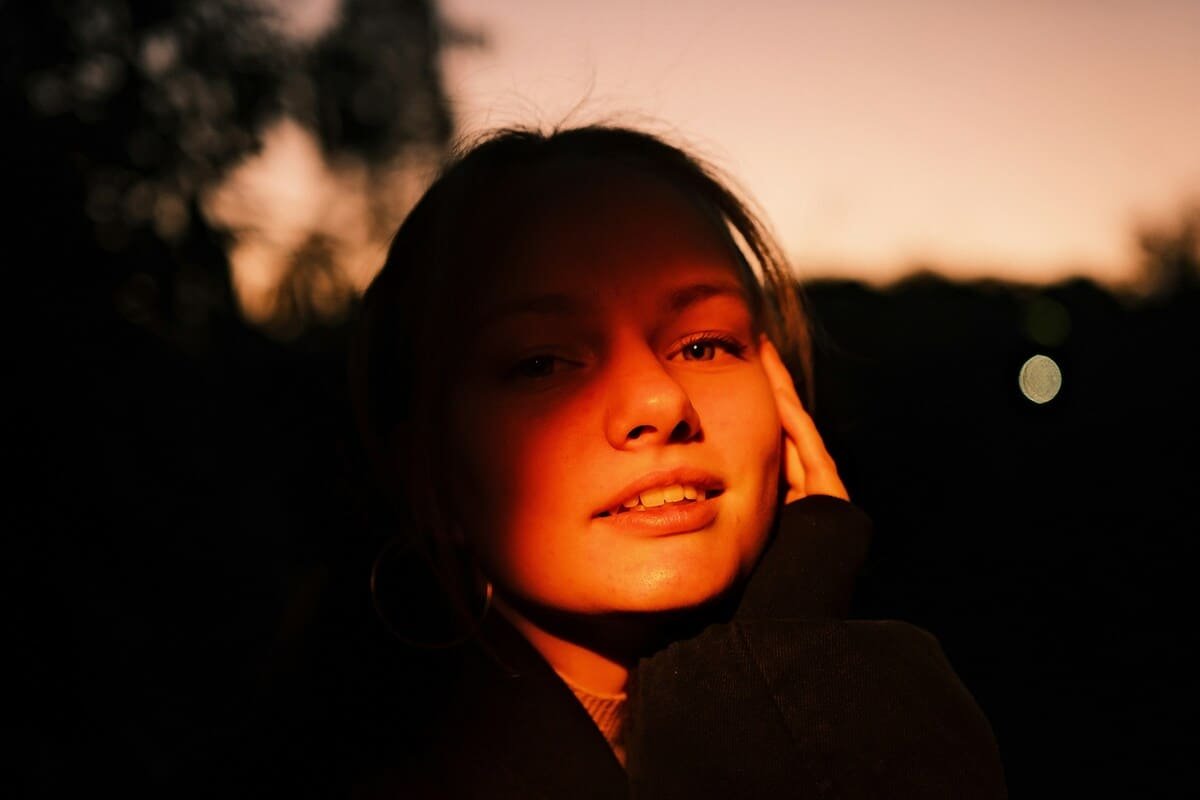
The principles of light quality, direction, and colour that apply to dedicated cameras apply equally to smartphones — but the limitations of smartphone sensors make good light more important, not less. A smartphone in bad light performs significantly worse relative to its ceiling than a full-frame camera in the same conditions.
The Golden Hour Advantage
The hour after sunrise and hour before sunset produce warm, low-angle, soft light that is flattering to almost every subject and within every camera’s capability. On a smartphone, the difference between golden hour shooting and harsh midday shooting is proportionally larger than on a dedicated camera — the sensor is more easily overwhelmed by high-contrast direct sun, and the computational HDR system more visibly struggles with the extreme dynamic range of a bright sky against a shadowed subject.
Whenever you have control over timing — street photography, portraits, travel — plan for golden hour. The difference in output quality between a midday smartphone photo and a golden hour smartphone photo of the same scene often looks like the difference between two different cameras.
Window Light for Portraits
Soft window light is the most accessible and most flattering light for portrait photography on a smartphone. Position your subject facing the window with their face angled approximately 45 degrees to the light source. The window acts as a large, soft light source — the same principle as a professional softbox — producing gentle shadows that define facial structure without harsh contrasts.
Turn off any artificial indoor lighting if possible — tungsten bulbs and fluorescent tubes mix with the daylight colour temperature and create an unflattering mixed-colour result. Let the window light be the single source.
Night Mode: When to Use It and When to Skip It
Night Mode activates automatically in low light conditions and is identified by the crescent moon icon in the camera interface. The duration (1–10 seconds) is determined automatically but can be manually adjusted by tapping the icon.
When Night Mode works well: Static subjects in low but consistent light — a building facade, a street scene with no moving subjects, a still life, a landscape. The multi-frame alignment process handles camera shake effectively and the result is significantly cleaner and brighter than a standard low-light shot.
When Night Mode produces problems: Any scene with movement — a person moving, a car passing, water flowing. Moving subjects produce ghosting artifacts where the computational alignment system fails. For portraits in low light, a brief flash of light (even a small LED panel, a friend’s phone flashlight, or moving closer to an available light source) typically produces better results than Night Mode’s extended exposure.
Turning Night Mode off: In conditions where it activates automatically but you don’t want it — perhaps you want to capture motion blur deliberately, or you are shooting in moving vehicle and the misalignment would ruin the image — tap the Night Mode icon and drag the slider to 0.
Flash: Mostly Avoid It
The LED flash on smartphones produces harsh, direct, unflattering light that creates flat illumination, harsh shadows, and red-eye. For people photography, it almost always degrades the result compared to using available light at higher sensitivity.
Exceptions where flash is genuinely useful: fill flash for backlit subjects outdoors (the flash compensation function in the camera app allows manual flash power adjustment), or as a last resort in complete darkness where no ambient light alternative exists.
If you frequently need supplemental light for smartphone photography — content creation, product photography, indoor portraits — a small LED panel (Aputure AL-M9 or similar) provides continuous, adjustable, colour-accurate light at a fraction of the harshness of the built-in flash.
Composition for Smartphones
The compositional principles that apply to all photography — rule of thirds, leading lines, foreground interest, simplification — apply equally to smartphone photography. A few specific considerations for the phone form factor:
Shoot Vertically When Content is Vertical
The smartphone’s natural orientation is vertical, and the primary consumption platform for smartphone photography — Instagram, TikTok, Stories — is also vertical. If your intended output is social media, compose and shoot vertically rather than converting from landscape crops in post. The full sensor is used and the framing is intentional.
For photography intended as prints, for display on horizontal screens, or for use in publications, landscape orientation uses the sensor in the same way.
Get Physically Close
Smartphone cameras are designed for close-to-medium distances. They excel at subjects within 0.5–3 metres — close enough to fill the frame without digital zoom, far enough that the ultra-wide distortion does not affect the subject significantly. For portrait work, using the 2x or 3x optical telephoto at 1.5–2 metres produces more flattering perspective compression than the wide camera at 0.5 metres.
Getting physically close also fills the frame with the subject and removes background distractions — the most consistent compositional improvement most smartphone photographers can make.
Use the Grid
Enable the rule-of-thirds grid overlay in your camera settings (Settings → Camera → Grid on iPhone). Using it actively — not just having it on — trains compositional instincts faster than any other single technique. The four intersection points of the grid are the most visually powerful positions in the frame. Place your subject’s eye, a horizon line, or a key compositional element at one of these points rather than defaulting to centre-frame placement.
Find the Interesting Angle
The most common failing in smartphone photography is shooting from standing height, at eye level, with the phone held horizontally. This is the angle everyone shoots. Getting low — crouching to ground level, lying prone, shooting from below the subject — produces dramatically different and more distinctive perspectives with minimal effort.
Looking for reflections (puddles, mirrors, glass surfaces), shooting through foreground elements (branches, door frames, other people), and deliberately using the ultra-wide for creative distortion are all compositional approaches that distinguish intentional smartphone photography from reflexive snapshots.
Third-Party Camera Apps
The native camera app is excellent for most situations, but third-party apps provide controls and capabilities that Apple’s app deliberately excludes.
Halide Mark II
The most polished manual camera app for iPhone. Provides full manual control over ISO, shutter speed, focus, and white balance. Displays a live histogram for exposure monitoring. Supports ProRAW capture with additional controls over Apple’s own ProRAW implementation. The interface is designed specifically around one-handed operation with gesture controls that become intuitive quickly.
Best for: Photographers who want DSLR-level manual control in a phone app. Essential for long-exposure work (mounted on a tripod), precise exposure control in challenging conditions, and capturing moments where the automatic processing makes consistently wrong decisions.
ProCamera
A capable alternative to Halide with similar manual control capabilities, a longer track record, and a built-in video mode with manual controls. The interface is denser than Halide but more feature-complete for photographers who also use the app for video.
Camera+ 2
More accessible than Halide or ProCamera for photographers who want some manual control without the full complexity of a professional camera app. Good low-light mode, a built-in RAW editor, and an interface that bridges the gap between the native camera and fully manual apps.
Google Camera (Android)
For Android users, Google Camera (either the Pixel-native version or the widely-ported third-party builds) brings Google’s computational photography algorithms to devices that don’t ship with it. The astrophotography mode, magic eraser, and night sight algorithms are genuinely impressive and worth installing on compatible Android devices.
Editing Smartphone Photos
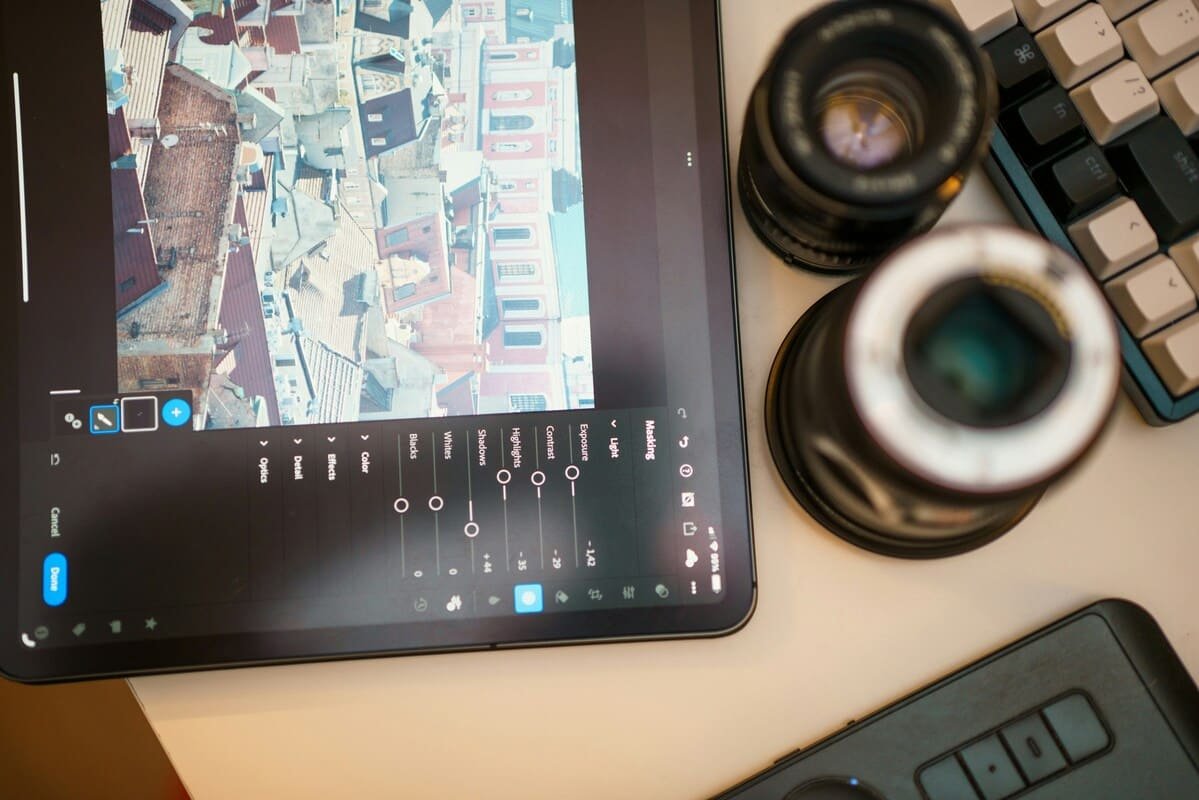
The editing step is where the gap between snapshot-quality and genuinely strong smartphone photographs is most dramatically addressed. RAW files from ProRAW or third-party apps give you the most latitude, but even standard JPEGs respond significantly to skilled editing.
Adobe Lightroom Mobile
Lightroom Mobile is the strongest available editing tool for serious smartphone photographers. The full-featured free tier includes:
- Exposure, contrast, highlights, shadows, whites, and blacks sliders with the same range as desktop Lightroom
- Colour HSL (Hue, Saturation, Luminance) controls for targeted colour adjustment
- Tone curve for precise tonal control
- Detail panel for noise reduction and sharpening
- Local adjustment tools (masking by subject, sky, or brush) for selective editing
- ProRAW support with direct import from Halide or native ProRAW capture
The presets ecosystem is useful but should be applied subtly — the best smartphone edits look like better versions of what the camera produced, not like a filter was applied.
Snapseed
Free, capable, and with a genuinely unique selective adjustment tool (the Snapseed brush allows you to paint adjustments onto specific parts of an image with finger precision). The Healing tool for removing distractions, the Perspective correction tool, and the Selective Tone adjustment are each more accessible than equivalent tools in Lightroom Mobile. An excellent choice for photographers who find Lightroom’s interface overwhelming.
VSCO
VSCO’s strength is its film simulation presets — colour grades that reference specific film stocks (Fujifilm, Kodak, Ilford) and produce a cohesive aesthetic that has influenced mobile photography heavily. The free tier provides a useful selection; the paid subscription unlocks the full preset library. Best used as a final aesthetic layer after primary exposure and colour corrections in Lightroom or Snapseed.
What to Adjust First
Regardless of which app you use, a consistent editing order produces better results than adjusting sliders randomly:
- Exposure — get overall brightness right first
- White balance — correct any colour cast (the sky is not yellow; skin tones are not green)
- Highlights and shadows — recover blown highlights, lift crushed shadows to reveal detail
- Contrast — after individual tone adjustments, set overall contrast
- Colour — saturation, vibrance, HSL corrections
- Sharpening — after everything else; sharpening amplifies any earlier mistakes
- Noise reduction — on high-ISO shots from challenging light conditions
The Genuine Limitations: When You Actually Need a Dedicated Camera
Smartphone cameras have dramatically closed the gap with dedicated cameras for most everyday photography. The situations where a dedicated camera meaningfully outperforms a smartphone are now specific rather than general:
Fast action in difficult light. Tracking a moving subject in dim conditions — an indoor sports event, a child running in a dark room — requires the combination of fast autofocus, high burst rate, and high-ISO performance that smartphone cameras cannot currently match. The multi-frame processing that helps with static subjects actively hurts with fast-moving ones.
Wildlife and distant subjects. Beyond approximately 5x optical zoom, smartphone telephoto quality degrades rapidly. A bird in a tree 50 metres away, a horse racing at distance, a bird in flight — these subjects require dedicated telephoto glass that phones cannot replicate.
Very shallow depth of field. The computational Portrait Mode bokeh is impressive and has improved substantially, but it remains identifiably simulated at edges of complex subjects — hair, glasses, textured backgrounds. For commercial portrait work where a client will pixel-peep the background separation, an 85mm f/1.4 on a full-frame camera produces genuinely different results.
Large prints. Smartphone images printed at A3 (42×30cm) or larger will show limitations in sharpness and noise that are invisible on screen. For anything displayed at significant physical scale, higher resolution dedicated cameras produce better results.
Extended battery life situations. Shooting all day on location depletes a smartphone battery significantly faster than a camera battery on a dedicated body — especially with Night Mode, ProRAW, and sustained burst shooting. A dedicated camera with multiple batteries extends shooting duration substantially.
For the vast majority of photography situations — everyday life, travel, social content, portraits in good light, street photography — a current flagship smartphone is genuinely sufficient. Understanding where the limitations are helps you know when an upgrade to dedicated equipment is actually justified.
Further Reading
For the fundamental principles of photography that apply equally to smartphones and dedicated cameras — understanding exposure, composition, and light — our guide to photography for beginners covers the complete foundation. For photographers who have reached the limits of smartphone photography and are ready to understand what a dedicated camera actually adds, our camera buying guide covers the full decision with sensor sizes, system comparisons, and budget guidance. For understanding how to develop your photographic eye regardless of what camera you shoot with, our guide to developing your photography style covers the creative development that applies across all camera types.
For specific app recommendations and updated comparisons, The Verge’s mobile photography coverage publishes regular camera tests and app reviews that stay current with the rapidly evolving smartphone photography landscape. MKBHD’s camera comparisons on YouTube provide rigorous side-by-side tests of current flagship phones under real-world conditions.
Final Thoughts
The smartphone in your pocket is a genuinely capable photographic tool — not a compromise or a stepping stone, but a legitimate creative instrument for a wide range of photographic work. The question is not whether your phone is capable of producing great photographs. It is whether you understand how to use it to produce them.
Everything in this guide — working with and around the computational processing, understanding light, composing deliberately, using manual controls, editing skillfully — applies to every camera, phone or otherwise. The best photographer in the room is not the one with the most expensive equipment. It is the one who most clearly sees what they want to capture and most skillfully uses whatever they have to capture it.

Charles is a passionate photographer and visual storyteller with a keen eye for capturing authentic moments and timeless emotions. Through here, he combines creativity, technical expertise, and a love for natural storytelling to create images that preserve life’s most meaningful memories. His work focuses on genuine connections, beautiful details, and the unique stories behind every photograph.