Every photographer hits the same moment eventually: you open a shot that looked great on the camera’s LCD, bring it into Lightroom, and zoom in to find a muddy grain pattern crawling through the shadows. The image is noisy. Understanding why that happens — and more importantly, how to prevent and fix it — is one of the most practically useful skills in digital photography.
This guide covers ISO from the ground up: what it actually does to your sensor, what causes digital noise, how to minimise it at the point of capture, and how to handle whatever remains in post-processing.
What ISO Actually Does
ISO stands for International Organization for Standardization — the body that originally defined film sensitivity ratings and later established the equivalent standard for digital sensors. In practical terms, your camera’s ISO setting controls how much the sensor’s signal is amplified before it’s recorded as an image file.
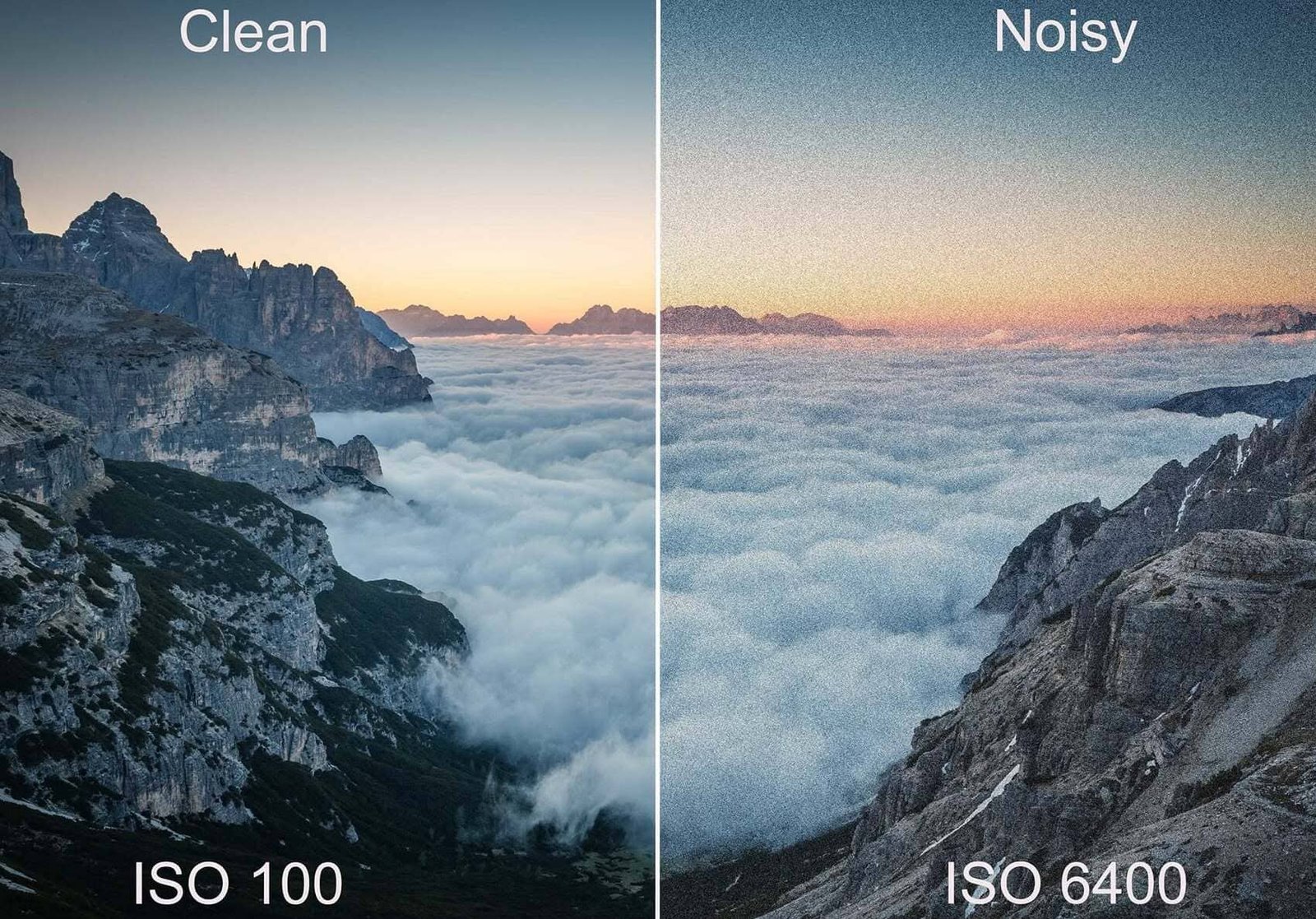
At ISO 100, the sensor records the signal with minimal amplification. The result is a clean, low-noise image — but you need adequate light to achieve a proper exposure.
At ISO 3200 or 6400, the signal is amplified dramatically. This lets you shoot in near-darkness with a fast enough shutter speed to freeze motion — but the amplification doesn’t distinguish between the signal you want (light from your subject) and the signal you don’t want (random electrical interference from the sensor itself). Both get amplified equally. That random interference is what we see as digital noise.
A useful analogy: imagine turning up the volume on a quiet recording. The music gets louder, but so does the hiss underneath it. ISO works the same way — the more you amplify, the more the underlying noise becomes audible.
The Two Main Types of Digital Noise
Luminance Noise
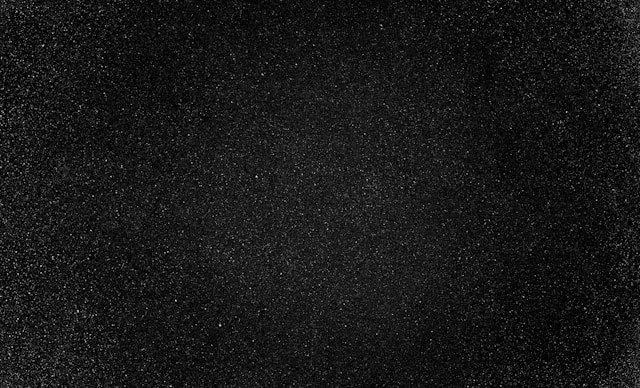
Luminance noise appears as random variations in brightness across the image — a speckled, grain-like texture similar to film grain. Individual pixels appear slightly brighter or darker than they should be, creating a rough, sandy quality in what should be smooth tonal areas.
Luminance noise is most visible in shadow areas and in evenly-toned subjects like skin, clear skies, and smooth surfaces. It is the more common and generally less objectionable of the two noise types — in moderate amounts it can even add a pleasant, filmic texture to an image.
Color Noise (Chrominance Noise)
Color noise appears as random colored speckles — typically red, green, and blue pixels scattered through areas that should be a uniform color. A grey concrete wall shot at high ISO might show small flecks of red and green. Shadow areas on skin might show random blue or magenta pixels.
Color noise is more visually disruptive than luminance noise because our eyes are highly sensitive to unexpected color variation. It’s also easier to remove in post-processing without significant loss of detail, since noise reduction software can target hue and saturation variation independently of brightness.
Fixed Pattern Noise
Less common but worth knowing: some cameras produce a repeating pattern of noise during very long exposures (30 seconds or more). Heat buildup in the sensor during extended exposures generates a consistent pattern of hot pixels in the same sensor locations shot after shot. Most cameras have a built-in long exposure noise reduction mode that takes a second “dark frame” exposure immediately after the main one — with the shutter closed — and subtracts the hot pixel pattern automatically. It doubles your time on location but eliminates fixed pattern noise cleanly.
What Determines How Noisy a Camera Is at High ISO
ISO sensitivity is not the only variable. The same ISO setting on two different cameras will produce very different noise levels depending on several factors:
Sensor size. This is the single biggest factor in high-ISO performance. A full-frame sensor (36×24mm) has significantly larger individual photosite pixels than a crop sensor or a smartphone sensor. Larger photosites collect more photons per unit of time, which improves the signal-to-noise ratio. A full-frame camera at ISO 3200 typically shows less noise than a crop sensor camera at the same ISO. This is one of the primary reasons working photographers shooting in challenging light — concerts, weddings, news — tend to use full-frame systems.
Sensor generation and technology. Sensor technology advances meaningfully between camera generations. A current mid-range mirrorless camera often outperforms a flagship DSLR from ten years ago at high ISO, even with a similarly-sized sensor. Back-illuminated sensor (BSI) designs, larger photosites, and improved on-sensor processing have all contributed to dramatic improvements in high-ISO performance over the past decade.
Underexposure. This is critically important and often overlooked. An underexposed image and a high-ISO image can look similar in terms of noise — but for different reasons. When you underexpose and then lift the exposure in post, you’re amplifying a weak signal digitally after capture, which introduces significant noise. When you shoot at a higher ISO but correctly expose, the sensor’s own amplification occurs at the hardware level during capture, which is generally cleaner. The practical takeaway: it is almost always better to shoot at a higher ISO and expose correctly than to shoot at a lower ISO and fix the underexposure in Lightroom.
Long exposures. Extended shutter speeds generate heat in the sensor electronics, which increases random noise. This is separate from ISO-related noise and explains why a 2-minute exposure at ISO 200 can still show significant noise in shadow areas.
ISO Performance by Shooting Scenario
| Lighting Condition | Recommended ISO | Notes |
|---|---|---|
| Bright sunlight | 100–200 | Maximum quality, no noise |
| Overcast daylight | 200–400 | Clean, barely perceptible noise |
| Open shade / cloudy | 400–800 | Very usable, slight luminance noise |
| Indoor, good ambient | 800–1600 | Noticeable but manageable |
| Indoor, low light | 1600–3200 | Visible noise, manage in post |
| Concert / stage | 3200–6400 | Significant noise, post-processing needed |
| Night handheld | 6400–12800 | Maximum noise; use fast lenses |
| Astrophotography | 800–6400 | Depends heavily on dark skies and technique |
These are starting points, not rules. Your camera’s specific high-ISO performance matters — test your own body at ISO 3200 and ISO 6400 and see what you consider acceptable for your work.
In-Camera Strategies for Minimising Noise

Use the lowest ISO that allows a correct exposure
This sounds obvious but requires active decision-making. Before reaching for the ISO dial, first ask: can I open the aperture wider? Can I slow the shutter speed safely? Adding light to the scene is always better than amplifying the signal.
Expose to the right (ETTR)
“Expose to the right” refers to deliberately setting an exposure so the histogram is pushed toward the right side — brighter — without clipping the highlights. A brighter exposure captures more signal from the sensor, which improves the signal-to-noise ratio. When you then bring the exposure down slightly in post, the image is cleaner than if you had exposed more conservatively.
ETTR is most useful in RAW shooting where you have full control over the final exposure during processing. Be careful: the goal is to maximise the histogram without blowing out important highlight detail. If the scene has bright highlights you need to protect, ETTR becomes a balancing act.
Shoot RAW, not JPEG
JPEG files apply the camera’s own noise reduction and compression algorithms before writing the file. This reduces your control over how noise is handled and permanently discards data you might want later. RAW files preserve the full sensor output, giving you complete control over noise reduction in post-processing with far more information to work with.
Use a wider aperture when possible
More light through the lens means a lower ISO for the same exposure. Shooting with an f/1.8 prime instead of an f/5.6 zoom in low light gives you four stops of additional light — which could mean the difference between ISO 400 and ISO 6400.
Use a tripod for static subjects
When your subject isn’t moving and you don’t need to freeze motion, a tripod lets you use a slow shutter speed at base ISO instead of a fast shutter at high ISO. A 1-second exposure at ISO 100 and a 1/1000s exposure at ISO 102400 would produce the same brightness — but the long exposure will be dramatically cleaner. For landscapes, architecture, still life, and product photography, a tripod is one of the most effective noise-reduction tools available.
Understand your camera's native ISO
Many modern cameras have a “base ISO” — typically ISO 100 or ISO 200 — at which the sensor performs optimally with no additional amplification. Some cameras also have a second native ISO at a higher setting (often ISO 800 or ISO 1600) where the sensor switches to a different amplification circuit that’s also particularly clean. Consulting your camera’s test data on sites like DxOMark or DPReview can reveal exactly where your specific sensor performs best.
Use in-camera noise reduction sparingly
Most cameras offer high ISO noise reduction settings (Low / Normal / High or similar). Leaving this on Normal or High produces smoother-looking JPEGs in-camera but destroys fine detail — foliage, hair, fabric texture — in the process. If shooting RAW, this setting has no effect on the RAW file. If shooting JPEG and you care about fine detail, set it to Low and handle noise in post where you have more control.
Post-Processing: How to Reduce Digital Noise Without Destroying Detail
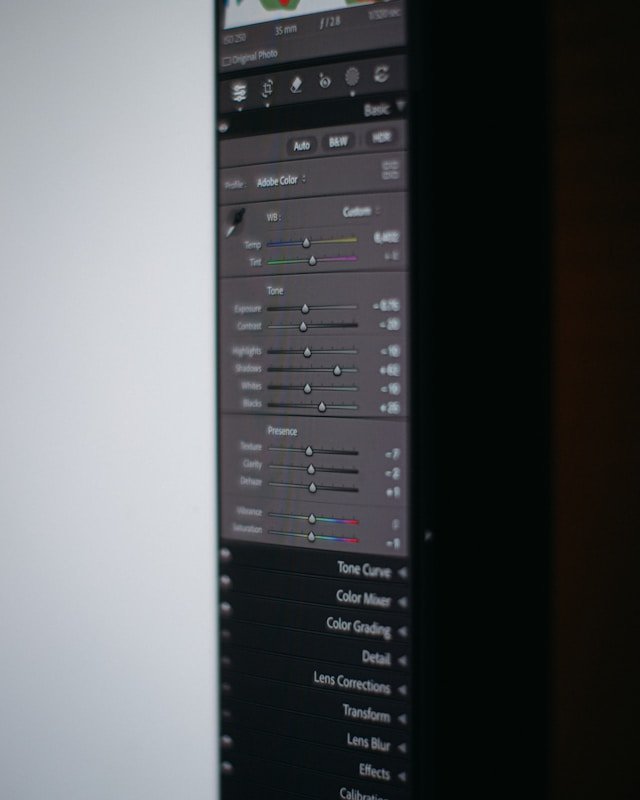
Start noise reduction early in the workflow
In Lightroom, apply noise reduction before making significant exposure, contrast, or clarity adjustments. These adjustments can amplify the visibility of noise if applied first, making it harder to reduce cleanly afterward.
Use Luminance and Color noise reduction separately
In Lightroom’s Detail panel (or Camera Raw), there are separate sliders for Luminance noise and Color noise. Start with Color noise reduction — set it to 25–35 and the color speckles will largely disappear with almost no loss of detail. Color noise reduction is very clean.
Luminance noise reduction is more aggressive — it smooths out the grain-like texture, but it also softens fine detail. Start at 20–30 and use the Detail and Contrast sliders (which appear when you raise Luminance) to recover texture. Zoom to 100% or higher when making these adjustments; the effect is subtle at full-screen view.
Apply selective noise reduction
Not all areas of an image need the same noise treatment. Smooth, uniform areas like skies and backgrounds benefit from aggressive noise reduction. Areas with important fine detail — eyes, hair, fabric, bark, rock texture — benefit from lighter treatment or none at all. In Lightroom, use the Masking tool (or the Range Mask based on luminosity) to apply noise reduction only to the smooth areas while leaving textured areas unaffected.
Consider dedicated noise reduction tools
For particularly difficult files — concerts, weddings in dark venues, wildlife at dusk — dedicated AI-powered noise reduction tools have become significantly more capable than Lightroom’s built-in options. Topaz DeNoise AI and DxO PhotoLab’s PRIME noise reduction are the most respected options. They analyse the image structure and separate genuine detail from noise with a level of sophistication that basic sliders can’t match.
Lightroom’s own AI Denoise feature (introduced in recent versions) is also worth using for challenging files — it processes the RAW data directly and often produces noticeably better results than the classic Detail panel sliders.
Always sharpen after noise reduction
Noise reduction softens images. After applying it, use the Sharpening controls in the Detail panel to restore some crispness. Use the Amount slider conservatively (20–50 is usually enough) and use the Masking slider (hold Alt/Option while dragging to see the mask preview) to restrict sharpening to edges only, preventing noise from being sharpened in smooth areas.
A Note on Noise Acceptance
Not all noise is a problem. At smaller output sizes — web display, social media, small prints — even significant high-ISO noise is rarely visible. The photographer looking at a 100% crop in Lightroom sees far more noise than anyone viewing the final image on a phone screen or as a 6×8 print.
The standard for acceptable noise also depends on the genre. Street photography, photojournalism, and documentary work have a long tradition of embracing film grain and its digital equivalent as part of the aesthetic. Sports and concert photography often requires high ISO as a non-negotiable technical necessity. By contrast, commercial product photography, portrait work, and landscape photography where large prints are the goal demand much cleaner files.
Calibrate your noise tolerance to your output, not to what looks perfect at 100% zoom on a monitor.
Further Reading
For empirical, sensor-specific ISO performance data, DxOMark’s camera sensor scores are the most thorough publicly available database of noise measurements across hundreds of camera bodies. If you want to know exactly how your camera performs relative to others at high ISO, this is the resource.
For a practical video walkthrough of Lightroom noise reduction tools, Adobe’s own Lightroom tutorials cover the Detail panel thoroughly.
If you’re also using filters that affect your exposure — which changes the ISO you need — our guide on ND filters for long exposure photography and the companion article on circular polarizer filters explain how to account for light loss from filters when setting ISO outdoors. For a broader look at the camera settings that work alongside ISO, explore the Basics section of Haiku Photography Blueprint.
Final Thoughts
ISO management is ultimately about making an informed trade-off at the moment of capture. There is no universal “correct” ISO — there is only the ISO that gives you the shutter speed you need, the depth of field you want, and a noise level that’s acceptable for your output.
The photographers who handle noise best are not necessarily those with the most expensive cameras — they’re the ones who expose correctly in-camera every time, shoot RAW, and apply noise reduction with a light hand during post-processing. The rest is mostly overthinking. Get the exposure right at capture, and noise becomes a minor detail rather than a rescue operation.

Charles is a passionate photographer and visual storyteller with a keen eye for capturing authentic moments and timeless emotions. Through here, he combines creativity, technical expertise, and a love for natural storytelling to create images that preserve life’s most meaningful memories. His work focuses on genuine connections, beautiful details, and the unique stories behind every photograph.